Connect ActiveCampaign to Baker
 Connect ActiveCampaign to Baker
- Updated
- 5 min read
- Every plan
- Who can do this: admins and members
 Open in ChatGPT
 Open in Claude
In short
In ActiveCampaign, copy the API URL and key from Settings → Developer. In Baker, open Brain → Integrations, press Connect on the ActiveCampaign card, paste both and press Connect. Baker checks them before saving. Then ask Baker in a chat for a Form that sends its leads to ActiveCampaign, and publish. Disconnect from the same card; contacts stay in ActiveCampaign.
By the end, ActiveCampaign is connected and your Forms can send their leads to it as tagged contacts.
Before you start
- An ActiveCampaign account and access to Settings → Developer in it.
- An admin or member role in Baker.
- For Form events, event tracking switched on in ActiveCampaign (Settings → Tracking → Event Tracking).
What does the ActiveCampaign connection do?
- Leads as tagged contacts. Each lead from a published Form creates or updates a contact and adds the tags you choose. A Form can also subscribe it to lists, start automations, open a deal, link a company, add a note or record an event.
- Things your account lacks, made at Publish. Custom fields (UTM fields, for example), lists, tags and pipelines a Form needs are prepared in the chat and created when you publish. Ones that already exist are reused.
- Site tracking. When you publish the ActiveCampaign tag, Baker switches on site tracking in your account and allows your landing addresses.
- Reports and routines. Ask Baker about campaigns, automations and deals, or start a routine when something happens in ActiveCampaign.
Before you begin
- An ActiveCampaign account, and access to Settings → Developer in it, where the API URL and key are.
- An admin or member role in Baker. Viewers can’t connect accounts.
ActiveCampaign is not offered in setup links, because it connects with a key rather than a sign-in. If someone else has the key, ask them for a few minutes together, or send them this message:
Hi! We use Baker to send our landing page leads to ActiveCampaign. Could you open ActiveCampaign → Settings → Developer and paste the API URL and key into Baker (Brain → Integrations → ActiveCampaign → Connect)? Please don’t send the key by email or chat.
Connect ActiveCampaign
-
In ActiveCampaign, open Settings → Developer and copy the API URL and the API key.
-
In Baker, open Brain → Integrations and stay on the Platforms tab.
-
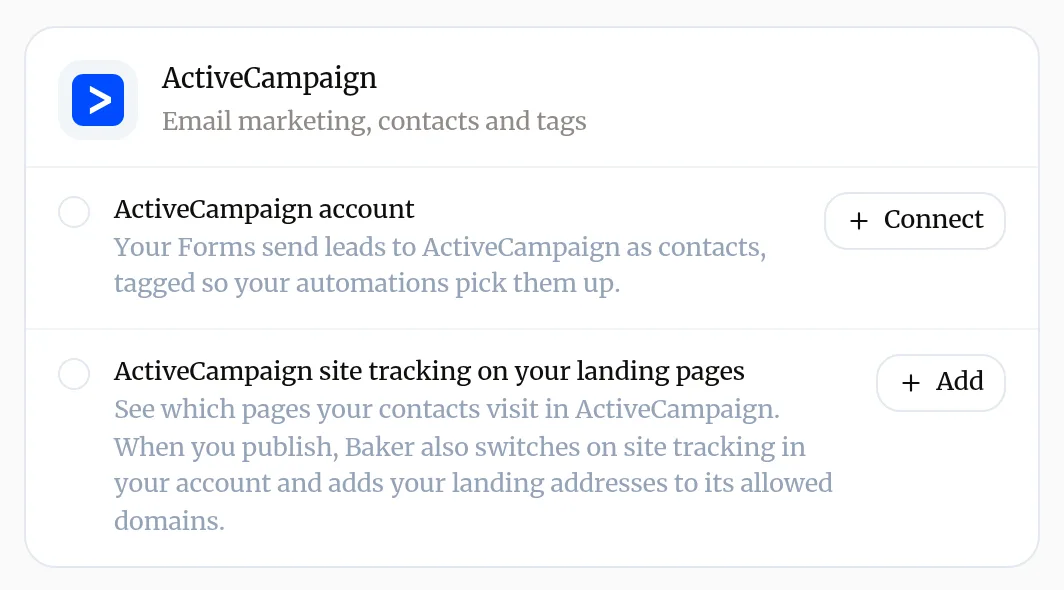
Find ActiveCampaign under CRM & sales.
-
Next to ActiveCampaign account, press Connect.
-
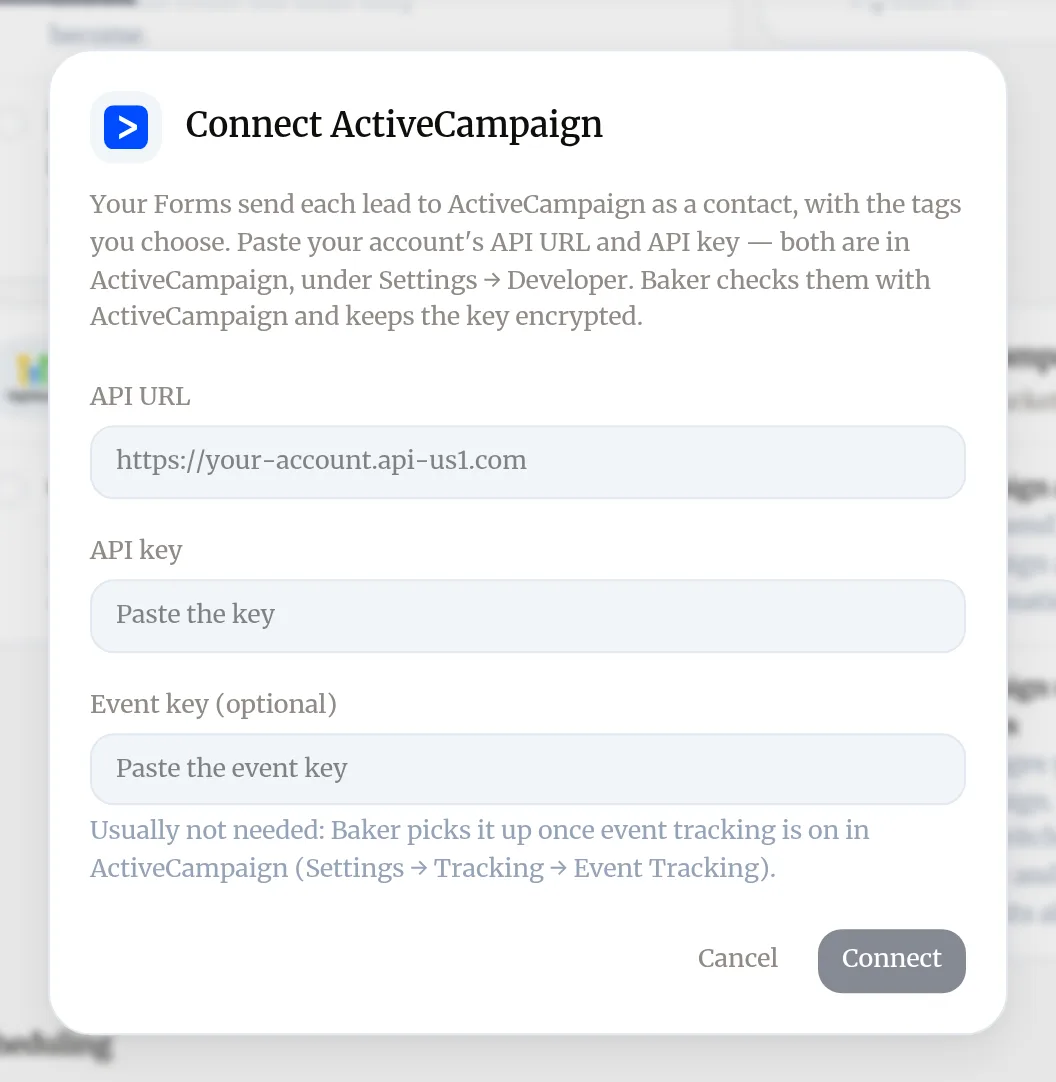
Paste the API URL and the API key. Leave Event key (optional) empty unless you were asked for it.
-
Press Connect. Baker checks the key with ActiveCampaign, then the card shows the account as connected.
When Baker needs ActiveCampaign in a chat, it shows a card where you can paste the same two values. Never type the key into a chat message.
What can Baker do with the key?
The key lets Baker reach your account. This is what Baker does with it:
| What | What Baker does | When |
|---|---|---|
| Contacts, tags, lists, automations | Creates or updates the lead’s contact, adds tags, subscribes to lists, starts automations | For each lead, once you publish |
| Deals, companies, notes, events | Opens a deal, links a company, adds a note, records an event, when the Form asks for it | For each lead, once you publish |
| Custom fields, lists, tags, pipelines | Creates the ones a Form needs and your account lacks | At Publish |
| Site tracking and allowed domains | Switches tracking on and allows your landing addresses | When the ActiveCampaign tag is published |
| Notifications to Baker | Sets them up for routines that react to ActiveCampaign | At Publish |
| Campaigns, automations, contacts, deals and settings | Reads them to report and to map Forms | When you or Baker ask |
Baker never sends campaigns and never deletes your contacts, lists, tags or fields. It removes only what it set up itself, such as its notifications. When a field already exists Baker reuses it, adding any missing choices and making it available on all lists.
What does success look like?
- The ActiveCampaign card in Brain → Integrations shows your account with a green check.
- In a chat, ask “How did my last ActiveCampaign campaigns do?” and Baker answers with their results.
Send a Form’s leads to ActiveCampaign
- In a chat, ask Baker for a Form that sends its leads to ActiveCampaign, and say which tags, lists or automations each lead should get.
- Baker maps the Form’s answers to email, name, phone and your custom fields. If a field, list or tag does not exist yet, Baker prepares it.
- Check the Form in the preview. A submission there shows what would be sent, and sends nothing.
- Press Publish. What Baker prepared is created first, then each new lead arrives as a contact.
Leads that arrive before Publish don’t fill fields that are created at Publish. To prove it works end to end, send a test lead.
Disconnect ActiveCampaign
- Make sure no Form still sends to ActiveCampaign. If one does, ask Baker in a chat to remove ActiveCampaign from it and publish. Baker refuses to disconnect an account a Form still uses.
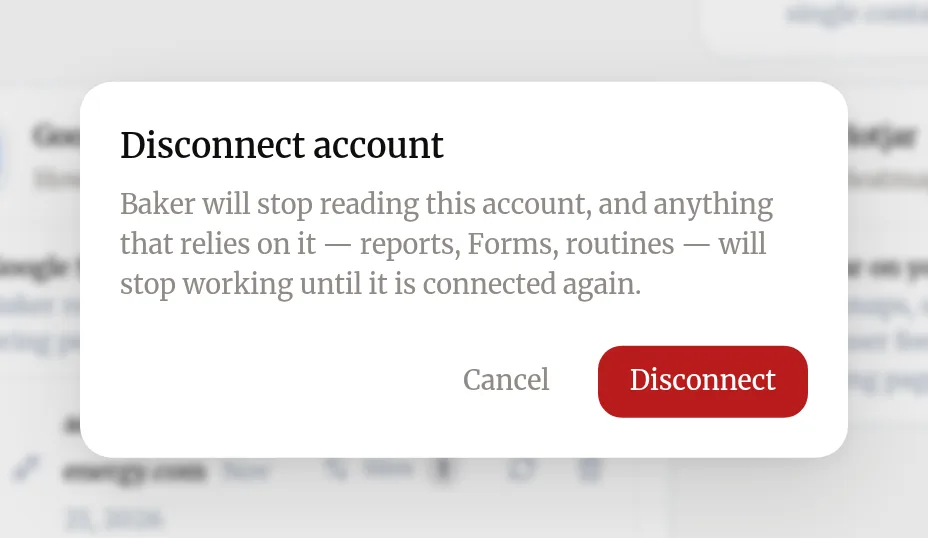
- Open Brain → Integrations, find your account on the ActiveCampaign card and press the bin icon (Disconnect account).
- Confirm with Disconnect.
What happens to your data?
In ActiveCampaign: contacts, tags, lists, fields and everything else Baker created stay in your account. Site tracking stays switched on with its allowed domains. Baker removes the notifications it set up for routines. The key itself keeps working in ActiveCampaign until you change it there.
In Baker: Baker deletes the key and stops reading ActiveCampaign. ActiveCampaign events in Measure → Sources stop and say ActiveCampaign was disconnected; reconnect, then try again from each source. The Form answers Baker collected are kept, encrypted, for 90 days from each submission.
Get help
Write to support@withbaker.com or use the contact page. No login needed, and we reply within 24 hours.
Try asking Baker
Send every lead from my webinar Form to ActiveCampaign with the tag "webinar-nov" and subscribe it to my "Webinar" list.
What happens when you publish
Fields, lists, tags and pipelines Baker prepared are created in ActiveCampaign, and your Forms start sending each new lead as a contact.
Troubleshooting
- If you see "Baker says ActiveCampaign did not accept the API key for that account."
- Copy the API URL and key again from ActiveCampaign → Settings → Developer, both from the same account, and paste them again.
- If you see "Baker says ActiveCampaign did not answer at that API URL."
- Check the address against Settings → Developer. It looks like https://youraccount.api-us1.com.
- If you see "The ActiveCampaign card asks you to reconnect."
- The saved key no longer works, often because it was changed in ActiveCampaign. Press Connect again and paste the current key.
- If you see "Disconnecting is refused because a Form still uses the account."
- Ask Baker in a chat to take ActiveCampaign off that Form, publish, then disconnect.
- If you see "Site tracking records no visits."
- ActiveCampaign ignores visits from domains it does not allow. Publish the ActiveCampaign tag from Baker, or add your landing domain in ActiveCampaign (Settings → Tracking).
Questions
Where do I find the API URL and key?
In ActiveCampaign, under Settings → Developer. Both are shown there.
Do I need the event key?
Usually not. Baker picks it up once event tracking is on in ActiveCampaign. Paste it only if a Form that sends events asks for it.
Is the key safe?
You paste it in Baker's dialog, never in a chat. Baker checks it with ActiveCampaign, keeps it encrypted and never shows it again.
Next steps
- Add a form that sends leads to your CRM Create a Form with Baker, choose where its leads go, from HubSpot to a Google Sheet or your inbox, and put it live on your landing pages.
- Send a test lead and check it arrived Prove a Form works end to end, from your live landing page to your CRM, sheet or inbox, and read what Baker says about each submission.
- Connect an account to Baker Sign in to an ad, analytics or CRM platform from Brain → Integrations, choose which accounts Baker uses, and disconnect it when you need to.
Was this helpful?
Thanks. We read every answer.