Connect an account to Baker
- Updated
- 4 min read
- Every plan
- Who can do this: admins and members
 Open in ChatGPT
 Open in Claude
In short
Open Brain → Integrations, find the platform and press Connect next to its account. Sign in on the platform's own window and allow what Baker asks. For ad platforms, Analytics, Tag Manager and Search Console, choose which ad accounts, properties, containers or sites Baker uses, then save. Admins and members can connect. Connecting lets Baker read; every change it prepares still waits for Publish.
By the end, the platform's card shows Connected and Baker reads the accounts you chose.
Before you start
- You need to be an admin or a member of the company in Baker. Viewers can't connect accounts.
- Use a login that can see the ad accounts, properties or containers you want Baker to use.
- Don't hold that login? Send a setup link to whoever does.
What can you connect?
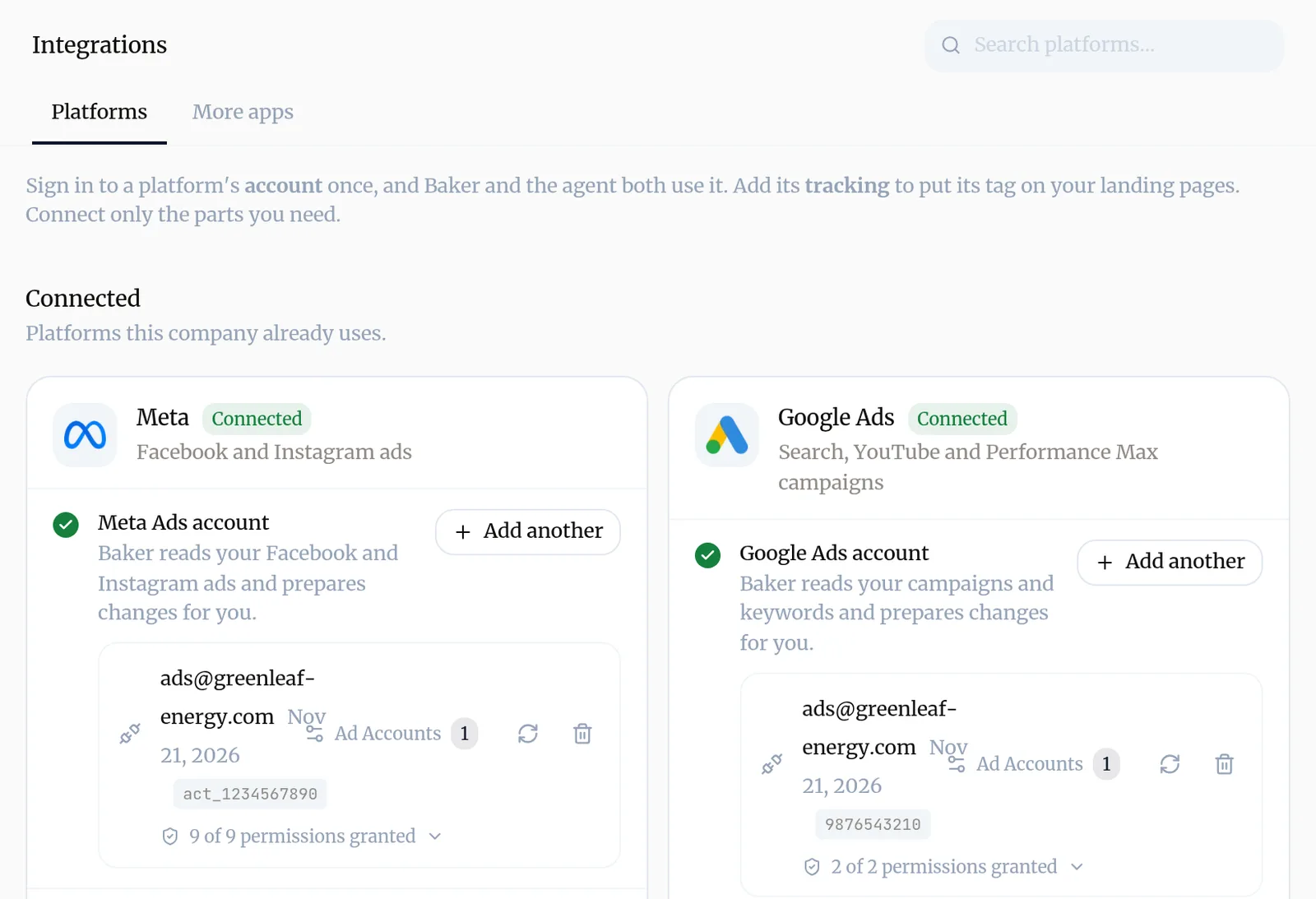
Brain → Integrations has one card per platform. Connected lists what this company already uses; the rest follow by type: advertising, analytics, CRM and sales, scheduling, files and more.
A card has up to two parts:
- Account: one sign-in that both Baker and the agent use to read the platform and prepare changes.
- Tracking: the platform’s tag on your landing pages, so it can count visits and conversions. See Tracking tags.
Connect only the parts you need.
How do you connect an account?
- Open Brain → Integrations. Type the platform’s name in Search platforms… if you don’t see it.
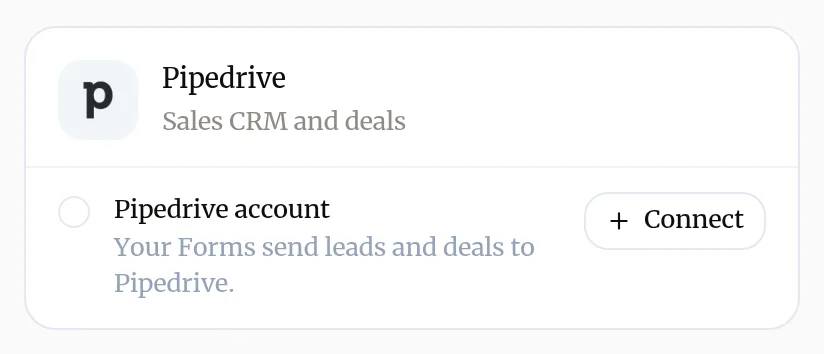
- On the platform’s card, press Connect next to its account.
- A window opens on the platform’s own sign-in. Sign in with the login that can see the accounts Baker should use, and allow what Baker asks.
- For ad platforms, Google Analytics, Tag Manager and Search Console, Baker then asks which accounts to use (next section). For other platforms, such as a CRM, connecting is the whole step.
Each platform’s own guide lists what it asks for: start at Meta, Google Ads or HubSpot.
How do you choose which accounts Baker uses?
After you sign in, Baker shows the ad accounts, properties, sites or containers that login can see.
- Tick the ones this company uses. Untick any it shouldn’t track.
- Press Save changes.
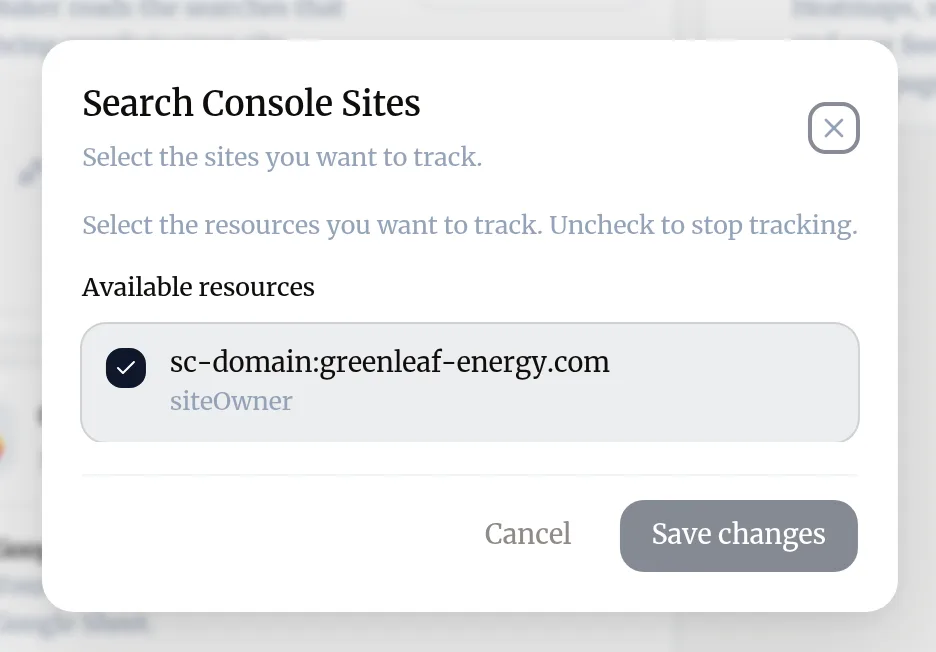
To change the choice later, press the button on the connection’s row that names what it reads (Ad Accounts, Properties, Sites or Containers) with its count. None means nothing is chosen, so Baker reads nothing from that login yet.
What does a connected account look like?
The card shows Connected. Each login has a row with its email or name, the date it was connected, the IDs Baker reads, and how many permissions it granted. Open that line to see each permission.
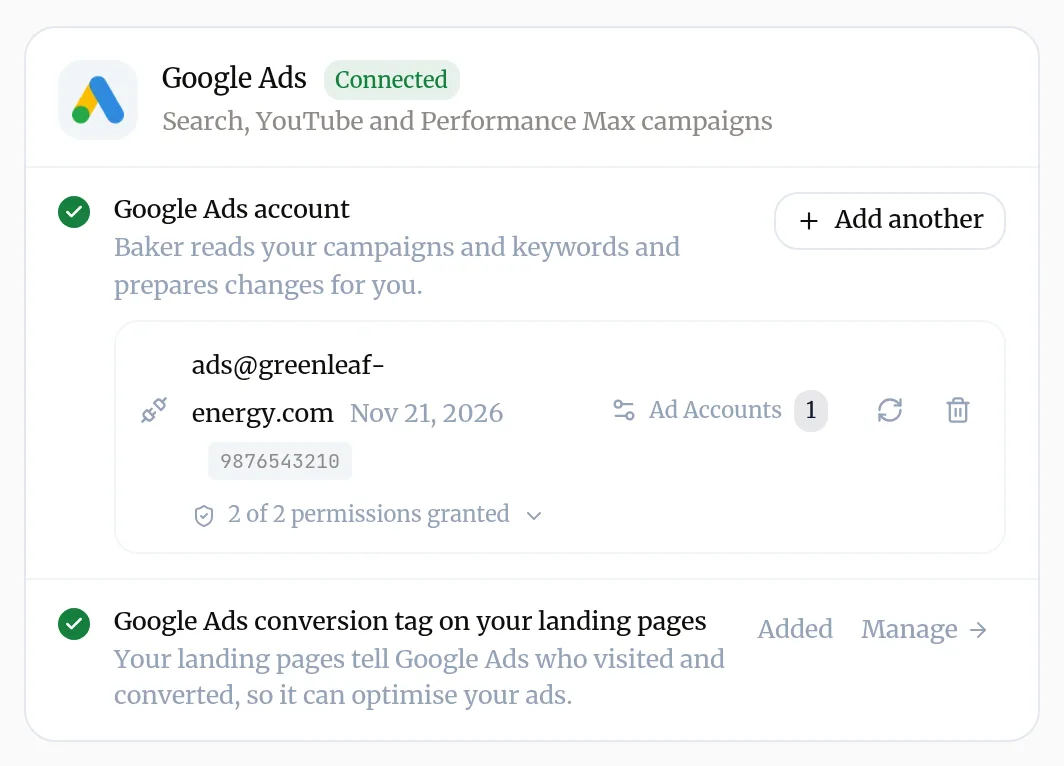
If the card shows Sign-in expired, Expires soon, Read-only or Limited access, see Reconnect an account.
Who can connect an account?
Admins and members of the company. Viewers see Write access required to manage integrations. instead of the cards. Ad, analytics and CRM platforms are connected in each company. Some other apps can be connected once for the whole organization, by an admin.
Can you connect from a chat?
Yes. When Baker needs a platform that isn’t connected, it shows a card in the chat, such as Connect an account, with a Connect button for each platform.
- Press Connect, sign in, and choose the accounts, as above.
- Press Continue to let Baker carry on, or Skip to go on without it.
Connecting from a chat applies at once, as it does on the Integrations page. It only lets Baker read: every change still waits for Publish.
How do you disconnect an account?
- In Brain → Integrations, find the login’s row on the platform’s card.
- Press the bin icon (Disconnect account).
- Read the warning and press Disconnect.
Baker stops reading that account, and the reports, Forms and routines that rely on it stop working until it is connected again. Nothing changes in the account on the platform itself, except that Baker removes any lead notification it set up there. To also remove Baker’s access on the platform’s side, remove it in that platform’s own settings.
Try asking Baker
Which of our platforms are connected, and is anything missing for what we're working on?
Troubleshooting
- If you see "Nothing opens when you press Connect, or Baker says the popup was blocked."
- Allow popups for Baker in your browser, then press Connect again.
- If you see "The list of accounts is empty, or the one you want is missing."
- The login you used can't see it. Reconnect with a login that has access on the platform, or ask its owner to give you access there first.
- If you see "The account row shows None next to Ad Accounts, Properties, Sites or Containers."
- Nothing is chosen yet, so Baker reads nothing from it. Press that button and choose at least one.
- If you see "You see "Write access required to manage integrations.""
- You can only view this company. Ask an admin for edit access, or ask a colleague who can edit to connect it.
- If you see "Baker won't disconnect an account."
- A Form still sends leads through it. Change that Form's destination first, or ask Baker in a chat to do it, then disconnect.
Questions
What is the difference between a platform's account and its tracking?
The account is a sign-in that lets Baker read the platform and prepare changes there. Tracking puts the platform's tag on your landing pages so it can count visits and conversions. A card can have one, the other or both, and you only connect the parts you need.
Does connecting an account change anything on the platform?
No. Connecting lets Baker read. Every change Baker prepares, such as a new campaign or a budget, waits until someone presses Publish.
Can I connect two logins for the same platform?
Yes. Press Add another on the card. If you sign in again with a login that is already connected, Baker refreshes that connection instead of listing it twice, and keeps the accounts you chose.
Can I connect a platform for all my client companies at once?
No. Ad and analytics platforms are connected in each company, so each company reads only its own accounts.
Next steps
- Ask someone else to connect an account with a setup link Send a client or colleague a setup link so they can connect the accounts they hold, with no Baker login, and give your agency partner access.
- Reconnect an account when Baker asks Why Baker asks you to sign in to a platform again, how to reconnect from Integrations or a chat, and what a reconnect keeps.
- Connect Meta Ads to Baker Connect your Facebook and Instagram ad accounts, choose which ones Baker uses, switch on lead ads, and disconnect, with what happens to your data.
Was this helpful?
Thanks. We read every answer.