Ask someone else to connect an account with a setup link
- Updated
- 3 min read
- Every plan
- Who can do this: admins and members
 Open in ChatGPT
 Open in Claude
In short
When someone else holds an account, send them a setup link. In Settings → Setup Links, press Generate link, tick what they should connect, and copy the link. They open it with no Baker login and see one card per platform, sign in there and choose the accounts. The link works for 30 days and you can revoke it any time.
By the end, you have sent a setup link and know what the person who opens it will see.
Before you start
- You need to be an admin or a member of the company in Baker.
- Know who holds each account, such as your client's marketing lead or the owner of their Meta business.
When should you use a setup link?
Use one when an account belongs to someone without a Baker login: a client, the colleague who owns your Meta business, or whoever holds your website’s Tag Manager. They connect it themselves, so nobody shares a password.
How do you create a setup link?
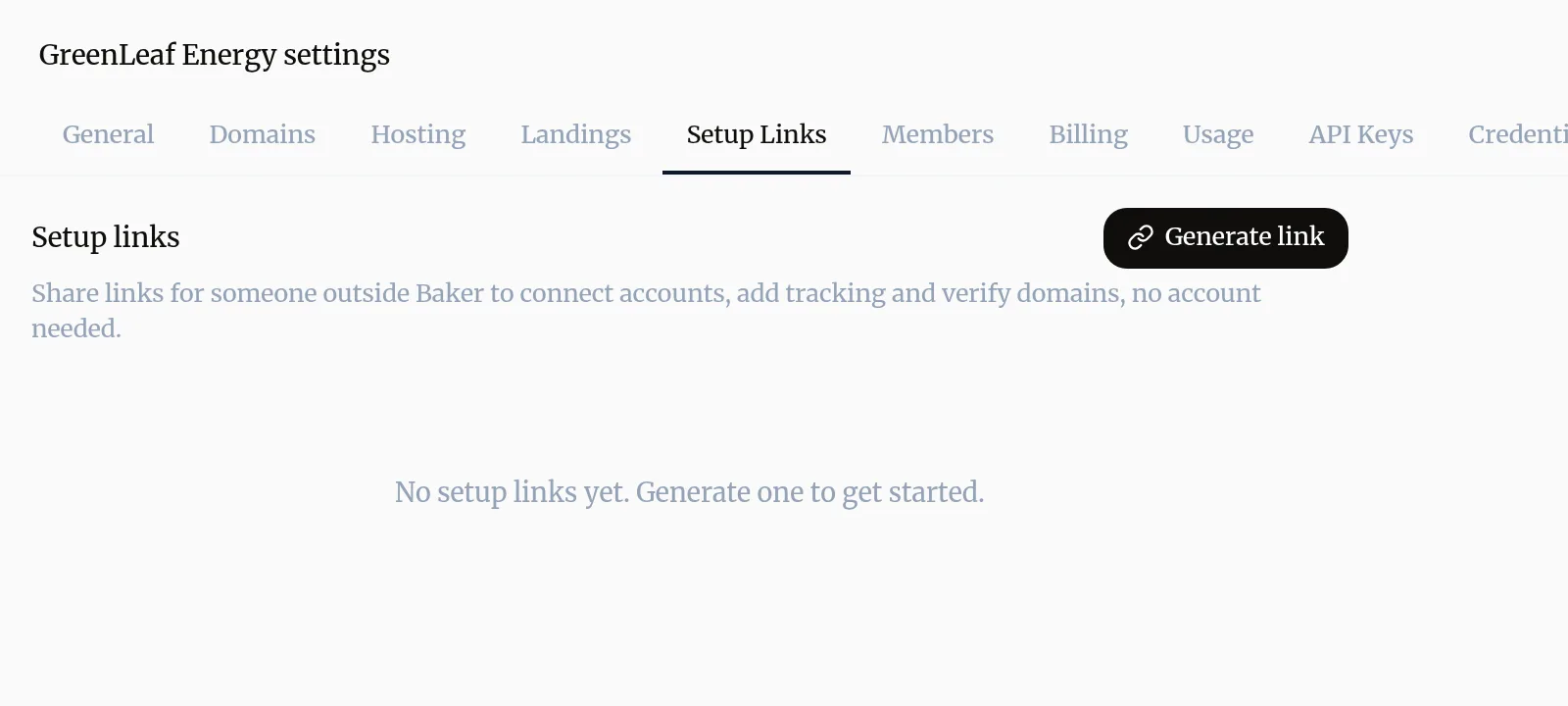
- Open Settings → Setup Links and press Generate link.
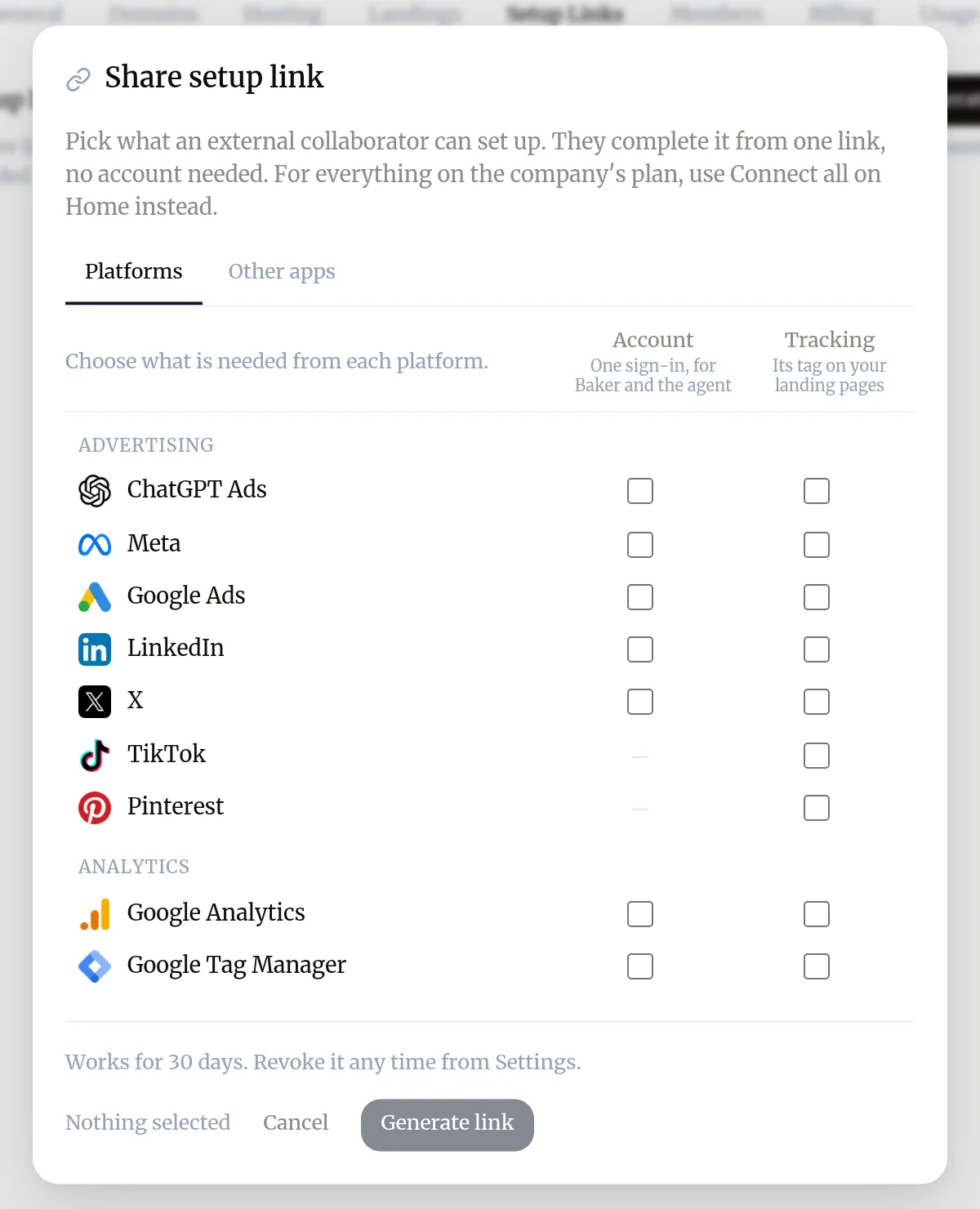
- In Share setup link, on the Platforms tab, tick Account to have them sign in to a platform, and Tracking to have them add its tag to your landing pages.
- Use Other apps for other tools, and Agency access to ask for partner access (see below). A Domains tab appears when one of your domains is waiting for its DNS records.
- Press Generate link, then copy the link and send it.
The link works for 30 days. To stop it earlier, press the revoke icon (Revoke link) next to it in Settings → Setup Links; anyone with it can no longer open it.
What does the person see?
The link opens a page titled Let’s get and your company’s name, with no Baker login. Under Your tools there is one card per platform, and each part the link asks for is a numbered step, such as Meta Ads account or Tracking on your landing pages.
For an account, they:
- Press Sign in to and the platform’s name, and sign in on the platform’s own window.
- Tick the ad accounts, properties or containers this company uses.
- Press the save button, which counts what they ticked, such as Save 2 accounts.
A tracking step asks for the tag’s details, such as a pixel ID, and saves it in Baker for your landing pages.
On your company’s own setup link, under each connection still to make, they can press Not yours? Send to a colleague to email a link that opens only that connection.
How does partner access work?
Agencies often need their own access to a client’s ad accounts, besides Baker’s connection. A setup link can ask for it.
- In your organization’s Settings → Partner access, save your identifiers once: your Meta business ID, your LinkedIn Business Manager ID, your X handle or your Reddit business ID. For Google Ads and TikTok, the client sends you their account ID instead.
- When you generate a link, tick the platforms on the Agency access tab.
- Your client sees the platform’s own steps, with your identifiers to copy and a drawing of each screen with the buttons to click.
- They press I’ve added and your agency’s name, or, for Google Ads and TikTok, Send my ID. You then send the access request from the platform.
Baker can’t check a platform’s partner list, so the step counts as done on your client’s word.
Troubleshooting
- If you see "The person sees "Link expired"."
- Links work for 30 days. Generate a new one in Settings → Setup Links and send it again.
- If you see "The person sees "Link not found"."
- The link was revoked or mistyped. Generate a new one and send it again.
- If you see "The person sees no accounts to choose after signing in."
- The login they used can't see the accounts. They can press Reconnect on the card and sign in with a login that has access.
- If you see "Nothing opens when they press Sign in."
- Their browser blocked the popup. Ask them to allow popups for the page and try again.
- If you see "The Agency access tab is missing when you generate a link."
- It appears only once your organization has saved its identifiers in Settings → Partner access.
Questions
Does the person need a Baker account?
No. The link is all they need. Anyone who has it can open it, so send it only to the people who should connect those accounts.
What can they change in Baker through the link?
Only what the link asks for, such as connecting an account and choosing which ad accounts Baker uses, or adding a tracking tag. They can't open your company in Baker.
Can they forward a single connection to a colleague?
Yes, on the link your company's setup plan uses. Under a connection still to make, they press Not yours? Send to a colleague and enter an email. The colleague gets a link that opens only that connection.
Is partner access the same as connecting an account?
No. Partner access gives your agency its own access to the client's ad account on the platform. Baker reads nothing through it, so Baker still needs the account connected to work with it.
Next steps
- Connect an account to Baker Sign in to an ad, analytics or CRM platform from Brain → Integrations, choose which accounts Baker uses, and disconnect it when you need to.
- Reconnect an account when Baker asks Why Baker asks you to sign in to a platform again, how to reconnect from Integrations or a chat, and what a reconnect keeps.
- Connect Meta Ads to Baker Connect your Facebook and Instagram ad accounts, choose which ones Baker uses, switch on lead ads, and disconnect, with what happens to your data.
Was this helpful?
Thanks. We read every answer.