Find the work a chat made
- Updated
- 3 min read
- Every plan
- Who can do this: admins, members and viewers
 Open in ChatGPT
 Open in Claude
In short
Until you publish, a chat's work lives in the chat itself: open it from Chats and its changes are listed on the right. After Publish, each piece moves to its own page: Landings for pages, Creatives for ads, Reports for reports and documents, Tasks for to-dos. The Creatives page shows only published work, with chats still working on creatives behind its "in progress" button.
By the end, you know where to look for any piece of work, whether it is published yet or not.
Work in Baker has two places to be: inside its chat while you review it, and on its own page once it is published.
Where are my chats?
Switch the sidebar to Chats. The list shows the chats that are open, newest first:
- An orange dot means Needs you: Baker finished and there are changes waiting for your review.
- A spinning circle means Baker is still working.
Use the filter beside the search to switch between Pending, Completed (published) and Discarded chats.
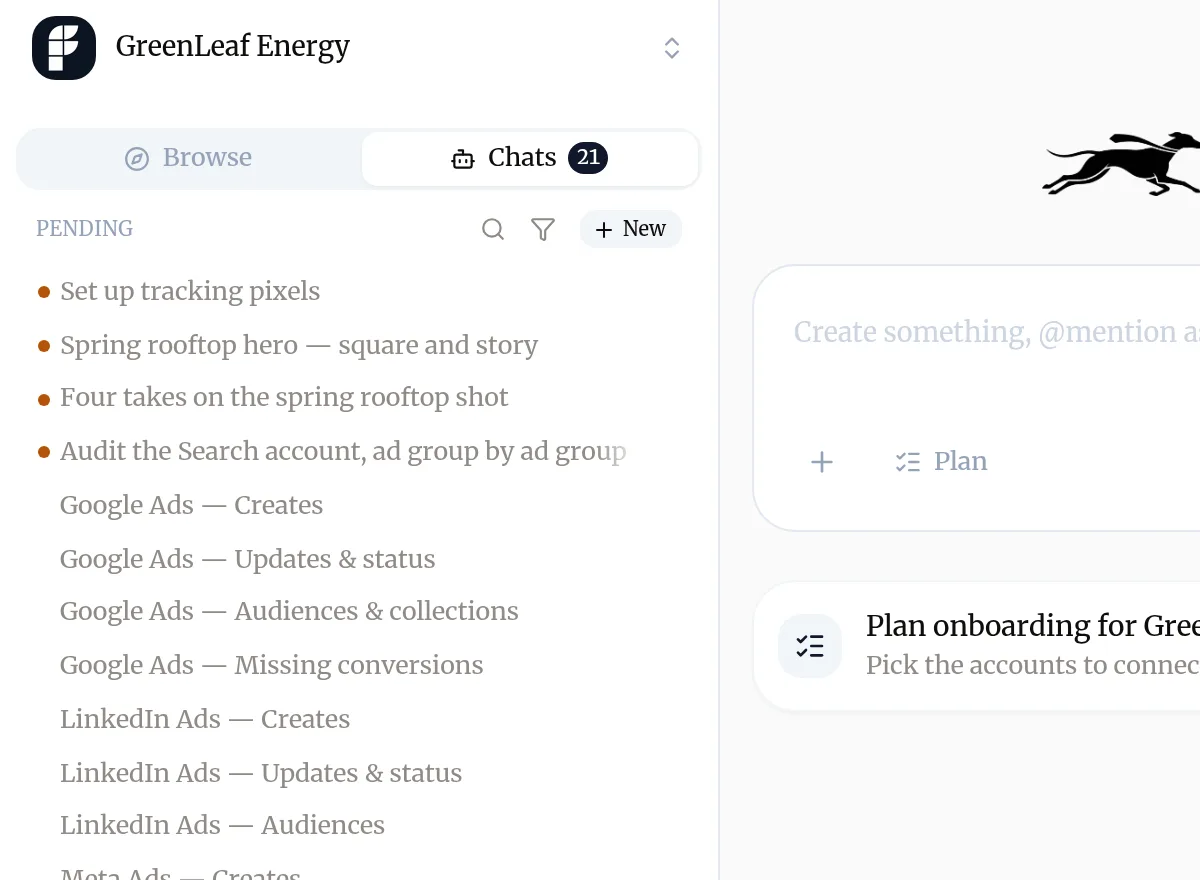
Open a chat to see its changes in the panel on the right. A published chat shows Completed beside its name and lists what it sent with Publish.
What is waiting to be published?
To publish lists everything Baker prepared that nobody has published yet, wherever it was prepared: in a chat here, in a Slack thread or in a routine’s run. Each row says what kind of change it holds and opens the changes to review and publish. When two of them change the same campaign, ad group or tag, the row warns you with Touches the same… and the other one’s name.
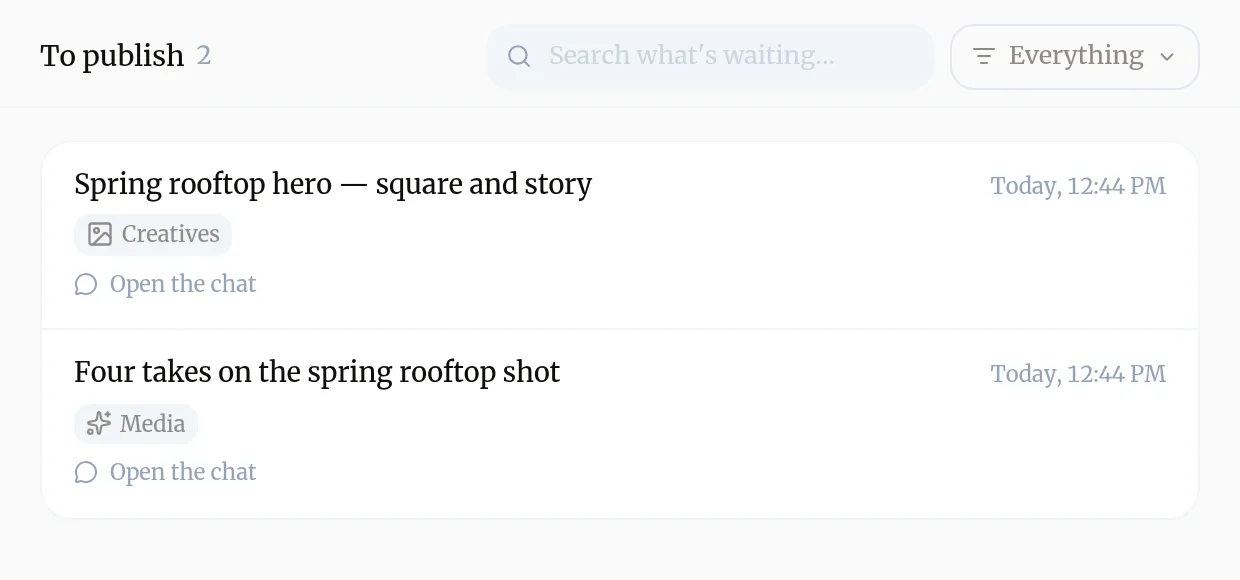
You reach To publish from the links Baker gives you in Slack and in your AI assistant, which open the exact item waiting.
Where do published pages go?
To Landings. Each page has its own card with a button to open it live, and Chat to edit to change it in a new chat. Pages under an A/B test say so on their card. See Create a landing page.
Where are my creatives?
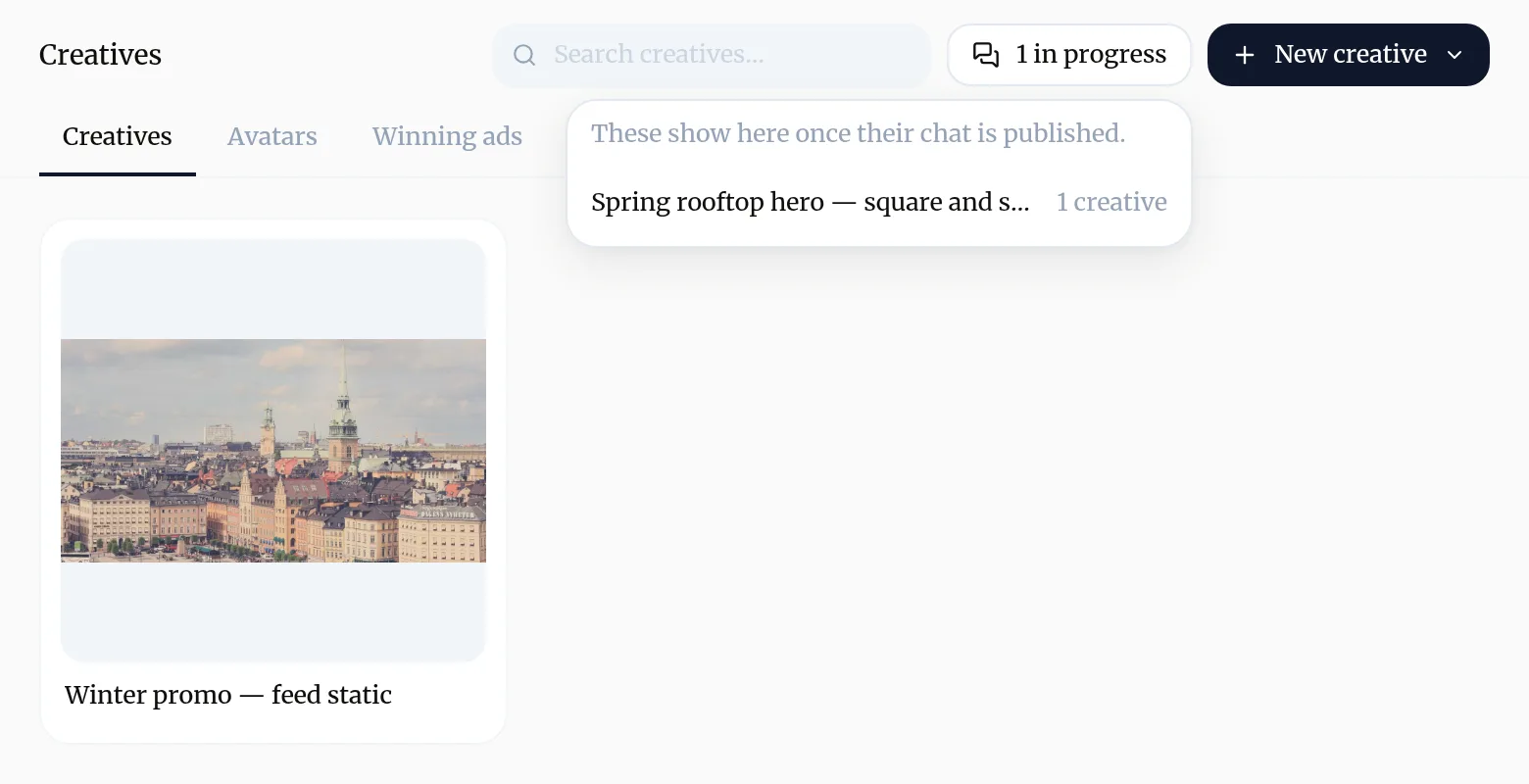
On Creatives, once their chat is published. Creatives still being worked on in an open chat are not in the grid. The button at the top, for example 1 in progress, lists those chats; pick one to open it.
Where are reports and documents?
On Reports, under Live Reports and Documents. Publishing a report makes it available here, inside Baker; it does not put it on the public web. A report that is not published yet opens its chat instead. See Read your reports.
Where are the to-dos Baker left?
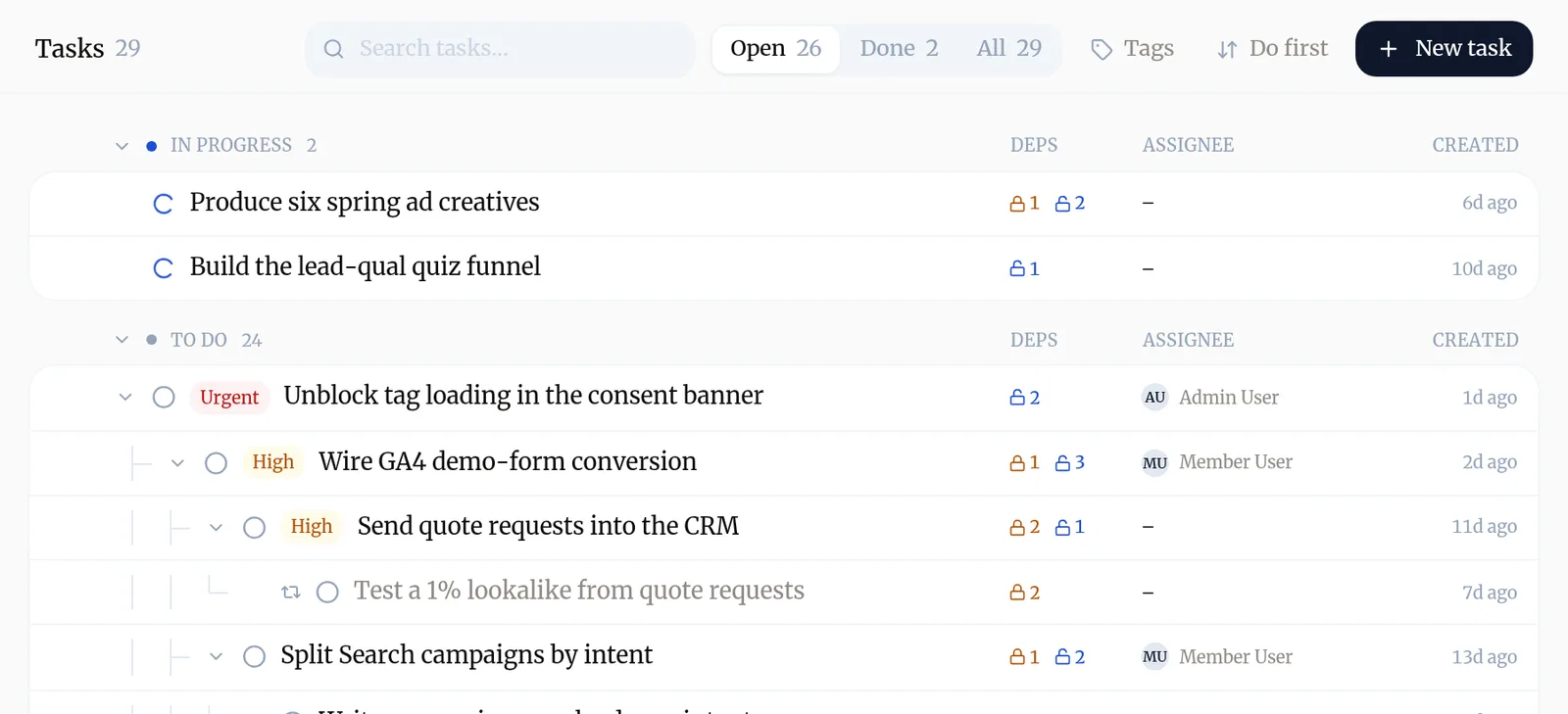
On Tasks. When a chat creates or changes a task, the change waits for Publish like everything else, then shows up in the list. See Tasks.
Troubleshooting
- If you see "The new creatives are not on the Creatives page."
- Their chat is not published yet. Press the "in progress" button at the top of Creatives and open the chat from there, or publish the chat.
- If you see "A page or document you open still shows the old version."
- You are looking at the published version. The new one is in the chat's preview until someone presses Publish.
- If you see "A chat is missing from your list."
- The list shows chats waiting for you by default. Use the filter beside the search to see Completed or Discarded chats.
Questions
Why does the Creatives page not show what Baker just made?
The Creatives page shows your published creatives, so everyone sees the same finished set. A chat's creatives join it when that chat is published.
Is there one place that lists everything waiting to be published?
Yes, To publish. It lists what Baker prepared in a chat, in Slack or in a routine and is still waiting for someone to publish it.
What happens to a chat nobody publishes?
It stays in your list until someone publishes or discards it. A chat nobody touches for 30 days is discarded for you, and its changes are reverted.
Next steps
- Have your first chat with Baker What to ask Baker, what it does while it works, how to review what it prepared and how to publish it or throw it away.
- Publish your changes What Publish sends live, in what order, how to check it worked, and how to discard a chat's changes instead.
- Find out why a change isn't live The six reasons a change you made with Baker is not on your site or ad account yet, and what to do about each.
Was this helpful?
Thanks. We read every answer.