Set rules Baker always follows
- Updated
- 3 min read
- Every plan
- Who can do this: admins and members
 Open in ChatGPT
 Open in Claude
In short
A rule is a standing instruction Baker follows in every piece of work, such as "never show prices on our landings". Tell Baker the rule in a chat. It saves it for ads, landings, documents, reports or all of them, checks your existing work against it, and from the moment you publish that chat every later piece is held to it. You find them under Brain → Rules.
By the end, you'll have set a rule and know where to see, change or retire it.
Before you start
- You need to be an admin or a member of the company.
Rules keep Baker’s work in line with how your company does things. You say a rule once, and it holds for every later chat, every teammate and every routine.
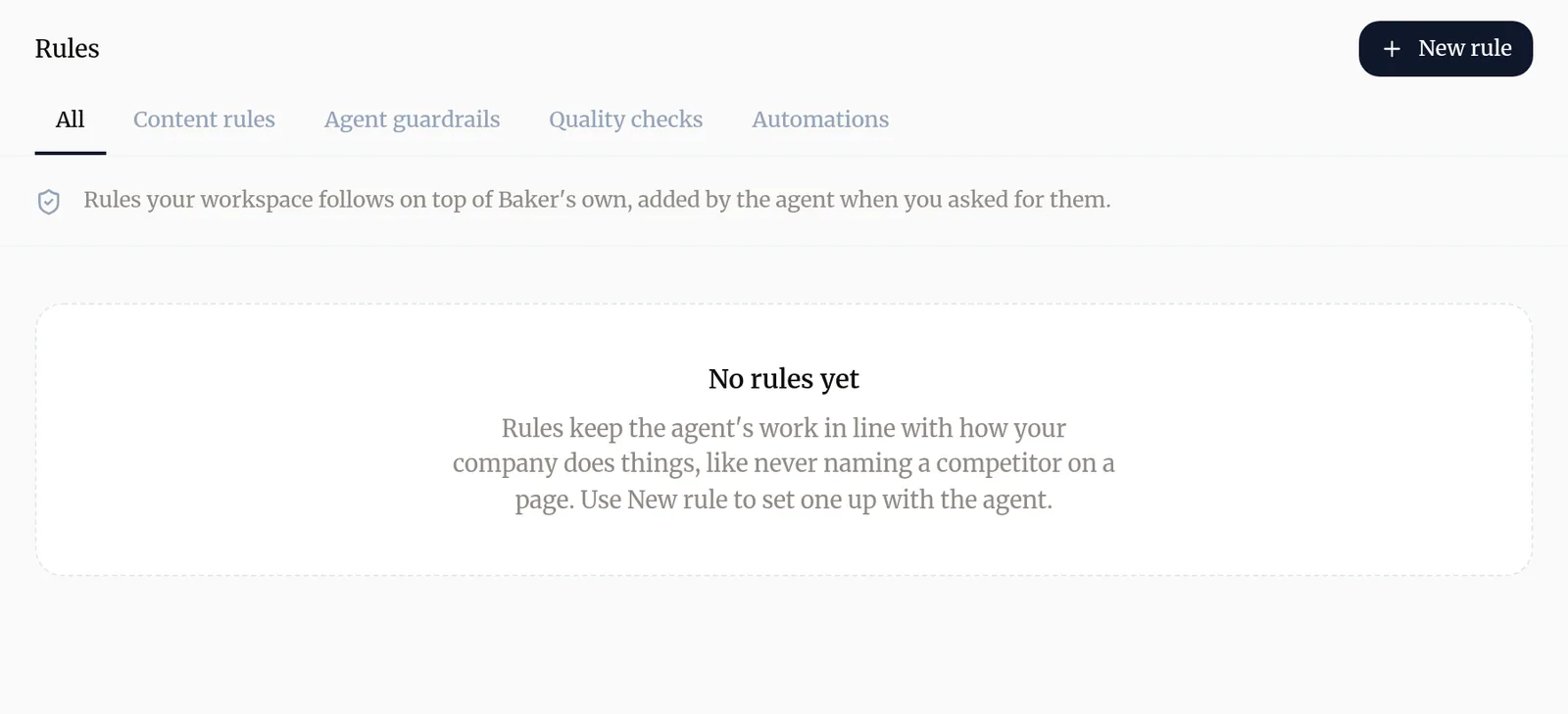
How do I add a rule?
- Open a chat with Baker, or go to Brain → Rules → Content rules and follow the prompt there.
- Say the rule in your own words, for example “never show prices on our landings: they go to the sales call”.
- Say what it is for if it isn’t obvious: ads, landing pages and forms, documents, reports, or everything.
- Baker saves the rule and tells you which of your existing ads, pages, documents or reports already break it. Ask it to correct the ones you want.
- Press Publish. The rule now holds for every chat.
What does a rule look like?
Each content rule shows:
- How strong it is: Never, Always or Prefer. Never and Always are requirements; Prefer is your taste.
- Where it holds: Creatives, Landings, Documents, Reports or Everywhere.
- Your own words, when you taught it in a chat, and the date you set it.
- The language it is limited to, if any.
What are the other tabs?
Besides content rules, New rule lets you set up, with Baker, rules that act on the work itself:
- Agent guardrails step in while Baker works: they stop, correct or remind it as it acts.
- Quality checks look at the work every time it is saved and again before it goes live. Work that fails one is not saved until it is fixed.
- Automations keep files up to date on their own when the files they follow change, like an FAQ page with its FAQ entries. They never block anything.
Most teams only need content rules. Use the others when words alone can’t express what you want, for example “every landing has a clear headline”.
How do I change or retire a rule?
Ask Baker in a chat: “change the rule about prices so it allows them on our pricing page”, or “retire the rule about competitors”. Publish the chat to apply it.
Try asking Baker
Add a rule for our ads and landings, never mention a competitor by name.
What happens when you publish
A rule is saved when you publish the chat that set it. From then on, every chat follows it.
Troubleshooting
- If you see "Baker says the new rule contradicts one you already have."
- Tell it which one wins. Baker replaces the old rule only once you have said so.
- If you see "Baker says the rule would break work that is already live."
- Decide whether the live pages or ads should change too. If they should, tell Baker; it saves the rule and corrects the pieces you pick.
- If you see "A rule you set doesn't show under Brain → Rules."
- Rules appear once the chat that set them is published. Open the chat and press Publish.
Questions
What is the difference between a rule and my Brand?
Brand is how you look and sound, such as your tone and colors. A rule is something a page or an ad must, must never or should preferably say or show, like a banned word or "only real people in our ads".
Does Baker ask before saving a rule?
When you state a rule yourself, that is your yes. When Baker only suspects you want one, for example after you correct the same thing twice, it asks you once first.
Can a rule hold for one language only?
Yes. Tell Baker the rule is only for, say, your Spanish pages, and it shows as only in that language.
What happens to a rule I no longer want?
Ask Baker to retire it. It stops applying, and it stays listed further down Brain → Rules so you can see what used to hold.
Next steps
- Teach Baker your business with Company, Knowledge and Brand What each page under Brain holds, how Baker uses it in every piece of work, and how to add to it or correct it.
- Publish your changes What Publish sends live, in what order, how to check it worked, and how to discard a chat's changes instead.
- Make ad creatives with Baker Ask Baker for static or video ads, review each version in the chat, find them on the Creatives page and put them in your campaigns.
Was this helpful?
Thanks. We read every answer.