Put your pages on your own domain
- Updated
- 3 min read
- Every plan
- Who can do this: admins and members
 Open in ChatGPT
 Open in Claude
In short
In Settings → Domains, type a subdomain such as offers.yourcompany.com and press Add domain. Baker shows one CNAME record: add it at your domain provider, pointing that name to customers.withbaker.com. Baker checks it on its own, often at first and then about once an hour, or press Verify DNS. When the status turns Active, every published landing page is reachable on that domain, each at its own path.
By the end, your landing pages are served from your own domain.
Before you start
- Access to the DNS settings of your domain, or the person who has it (often IT, or whoever bought the domain).
- A subdomain to use, such as offers.yourcompany.com. A bare domain like yourcompany.com cannot be used.
By default your published pages live on an address Baker gives your company. A custom domain puts them on an address of your own.
Before you begin
You need to change one DNS record for your domain. If you don’t manage your domain yourself, send this to whoever does:
Hi, we’re putting our landing pages on offers.yourcompany.com. Could you add one DNS record for us? Type: CNAME. Name: offers (offers.yourcompany.com). Value: customers.withbaker.com. Nothing else on the domain changes. Thanks!
Replace offers.yourcompany.com with the subdomain you choose.
Add the domain in Baker
- Open Settings at the bottom of the sidebar, then the Domains tab.
- Type your subdomain in the box. Baker may suggest one based on your website.
- Press Add domain.
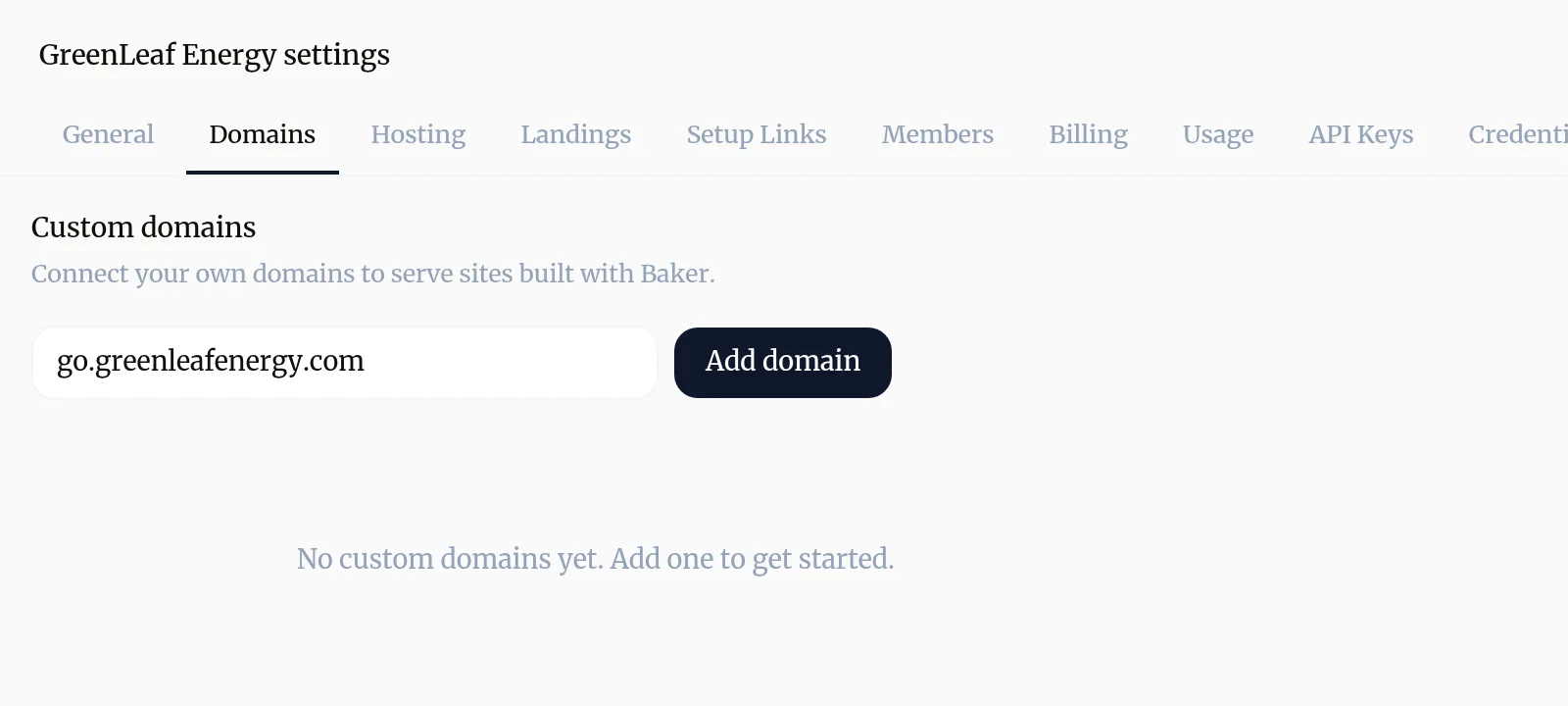
The domain appears below with the status Pending and the record to add: Add this CNAME record at your DNS provider.
| Type | Name | Value |
|---|---|---|
| CNAME | your subdomain, for example offers.yourcompany.com | customers.withbaker.com |
Each value has a copy button.
Add the record at your domain provider
- Sign in where your domain is managed, for example GoDaddy, Namecheap or Cloudflare, or wherever you bought it.
- Open the DNS settings. They may be called DNS, DNS Records or Domain Management.
- Add a new record of type CNAME.
- For the name, enter your subdomain. Many providers add your domain for you, so you type only
offers. - For the value (sometimes called target or points to), paste
customers.withbaker.com. - Save.
Check that it worked
Baker checks your domain on its own, often at first and then about once an hour. To check right away, press Verify DNS. The message under the record tells you where it stands:
- “We can’t see a record for (your domain) yet”: the record is missing or still spreading, which can take up to an hour.
- “(Your domain) currently points to (somewhere else). It needs to point to customers.withbaker.com”: fix the record’s value.
- “Your DNS record looks right. We’re setting up secure access”: wait a few minutes.
- “(Your domain) is live.”: done.
When the status turns Active, every published landing page is reachable on your domain at its own path.
Remove a domain
Press the bin beside the domain and confirm Remove. Your pages stop being reachable on that domain straight away; anything that links to it, such as a running ad, stops working too.
Troubleshooting
- If you see ""Apex domains are not supported. Use a subdomain like landing.example.com""
- Add a subdomain instead, for example go.yourcompany.com or offers.yourcompany.com.
- If you see ""We can't see a record for your domain yet.""
- The record is missing or has not spread yet. Check it was saved at your provider; changes can take up to an hour. Baker keeps checking.
- If you see "The message says your domain currently points somewhere else."
- Edit the record at your provider so its value is exactly customers.withbaker.com, and remove any other record with the same name.
- If you see ""Your DNS record looks right. We're setting up secure access.""
- Nothing to do. Baker is preparing the secure connection, which usually takes a few minutes.
- If you see "The status shows Error, or the message says Baker couldn't confirm the domain in time."
- Check the record at your provider, then press Verify DNS, or Try again when the status shows Error.
Questions
Do I need a domain per landing page?
No. One domain serves all of your company's published landing pages, each at its own path, for example offers.yourcompany.com/spring-offer.
How many domains can I add?
Up to five per company. If you have several, the view button on a landing page lets you choose which one to open.
Will my main website be affected?
No. You only add a record for the subdomain you chose. Your main site and email keep working as they are.
What happens if I remove a domain?
Your pages stop being reachable on it. They stay published and you can add the domain again later.
Next steps
- Create a landing page Brief Baker on a landing page for your ads, review it in the preview, and publish it to your site.
- Publish your changes What Publish sends live, in what order, how to check it worked, and how to discard a chat's changes instead.
- Find out why a change isn't live The six reasons a change you made with Baker is not on your site or ad account yet, and what to do about each.
Was this helpful?
Thanks. We read every answer.