Run an A/B test on a landing page
- Updated
- 4 min read
- Every plan
- Who can do this: admins and members
 Open in ChatGPT
 Open in Claude
In short
Ask Baker in a chat to test a new version of a page. It checks the page gets enough visitors, builds the new version and shows you a brief. The test starts only when you publish; then half the visitors see each version at the same address. Pausing, resuming and ending apply at once from Landings → A/B tests. Ending asks why you stop and what you learned.
By the end, you have started a test, read its verdict and ended it with a learning the next test builds on.
Before you start
- A published landing page that gets visitors. Baker tells you if the page is too quiet to give an answer.
- A clear idea of what to change and why, or ask Baker to find one from how visitors use the page.
An A/B test shows two versions of one landing page to different visitors and tells you which one gets more people to do what matters, such as booking a call. In Baker, a test changes one thing on purpose, so the result tells you something you can use on the next page.
How do I start a test?
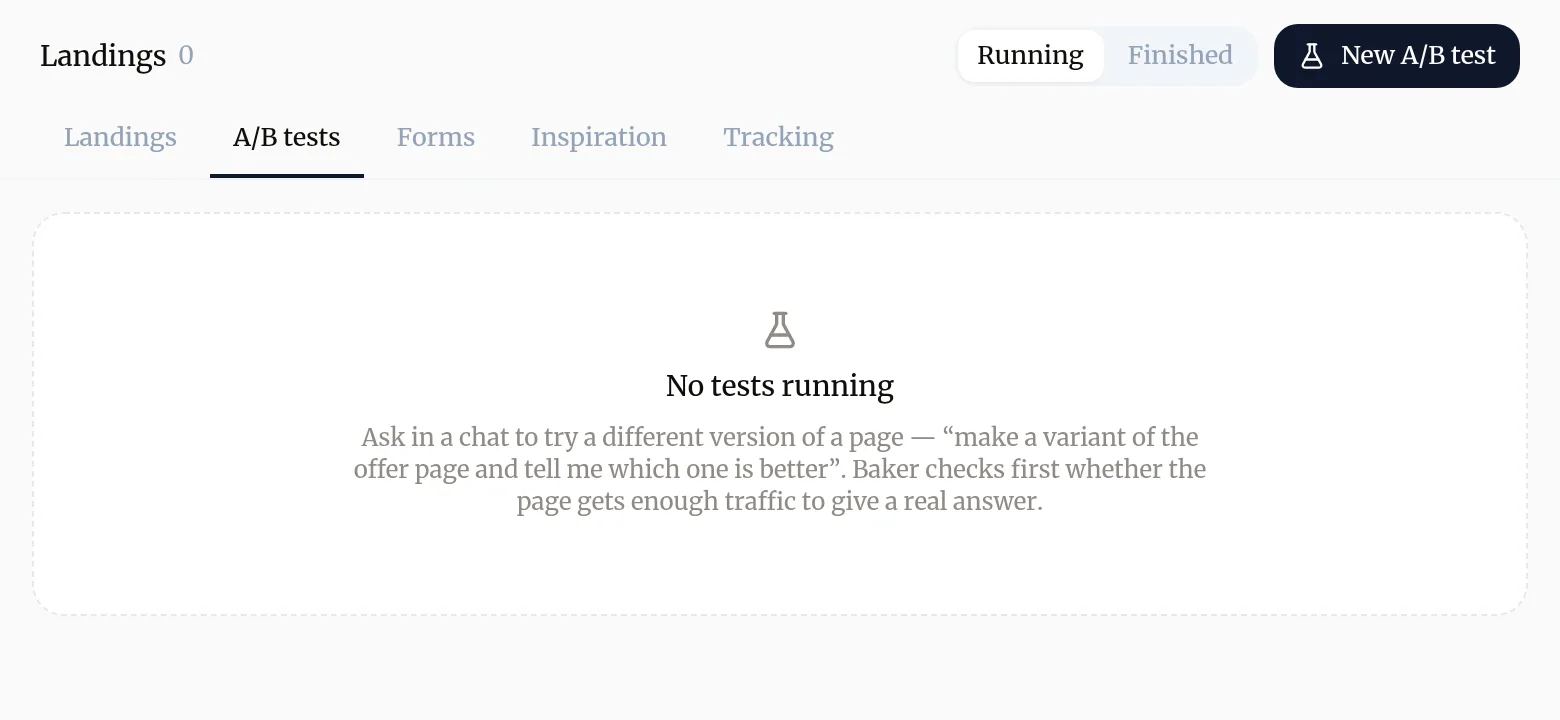
- Ask in a chat, or press New A/B test on Landings → A/B tests, which opens a chat for you.
- Say which page and what you want to try, and why if you know. Baker can also suggest what to test from how visitors use the page.
- Baker checks the page gets enough visitors to give a real answer. If it doesn’t, Baker says so before building anything.
- Baker builds the new version. Only the part you are testing is different; everything else is shared with the original, so a later edit reaches both versions.
What do I review before it starts?
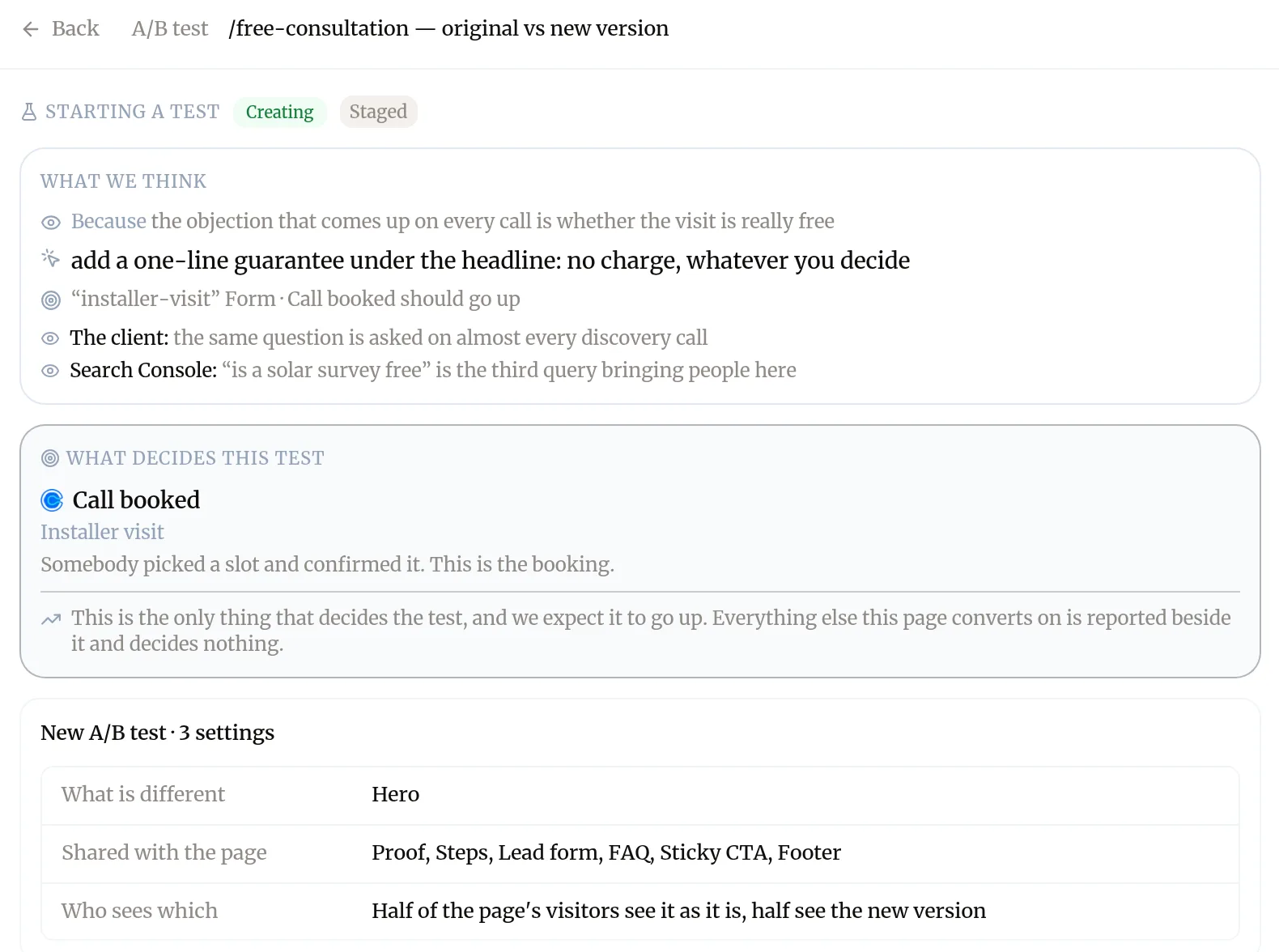
The test appears in the chat’s changes as Starting a test. Open it to read its brief:
- What we think: what was observed, the change, and the result you expect.
- What decides this test: the one action that counts, such as a booked call, and what has to happen for it to count.
- What is different, what is shared with the page, and who sees which version.
- Both versions side by side, on desktop and phone.
When does it start?
When you press Publish. Until then nobody sees the new version: Nothing is split yet. Publishing is your review of the new version.
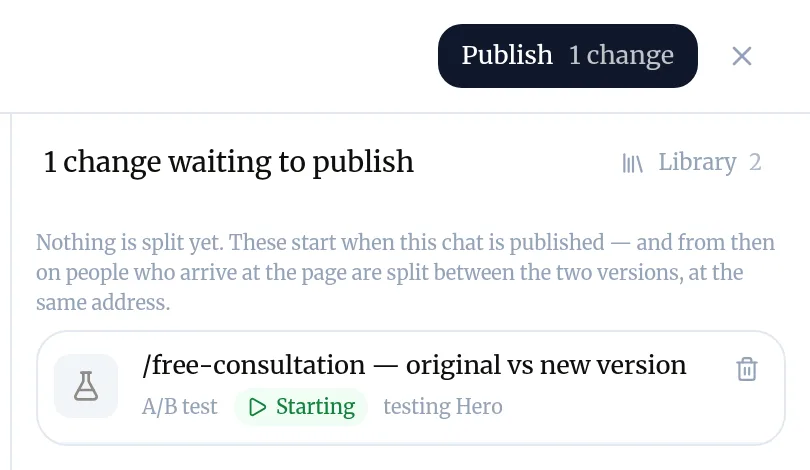
Once published, visitors who arrive at the page are split in half between the original and the new version, at the same address. Each visitor keeps seeing the same version.
How do I read the result?
Open Landings → A/B tests. Each running test has a card with:
- A pill with the verdict so far, for example Running, Winner found, No difference, Can’t win or Doing harm.
- One sentence that says what is happening, such as “No clear difference yet”.
- The two versions’ rates, for example “65 of 704 people”.
- What the answer still needs: roughly how many more visitors, and how long that is at today’s traffic.
Baker gives you a verdict rather than a pile of numbers on purpose. Details holds the chart and the statistics if you want them.
How do I pause, resume or end it?
These apply at once, from the test’s card. They do not wait for Publish.
- Pause shows everyone the original for now. Resume restarts the split with the same visitors on the same sides.
- End test asks which version stays: Keep the original or Keep the new version.
Ending asks two things before it closes, and both are required:
- Why are you ending it? The numbers were clear; it was not going to settle; the page has to change for another reason; or something was wrong with the test.
- What did it teach? One or two sentences you now believe about this page. They are kept on the test and handed to the next test on the page.
From that moment everyone sees the version you kept. If you kept the new version, press Update the page to match: a chat makes it the page’s own content, and you publish that.
Where do finished tests go?
To Finished on the A/B tests tab, with what each test found, which version was kept, whether the idea behind it held, and What we learned. Your Landings list also shows how many versions each page has tried.
Try asking Baker
Set up an A/B test on our free consultation page. Visitors keep asking whether the visit is really free: try a version with a one-line guarantee under the headline.
What happens when you publish
The test starts: from then on, people who arrive at the page are split between the original and the new version, at the same address.
Troubleshooting
- If you see "Baker says the page already has a test."
- A page runs one test at a time, including one waiting in another chat. End or discard that one first; Baker names the chat that holds it.
- If you see "Baker says the test would take too long."
- The page does not get enough visitors to answer the question in reasonable time. Test a bolder change, or test a page with more traffic.
- If you see "The card says the new version was kept but the page still shows the old content."
- Press Update the page to match. A chat moves the new version into the page, and you publish it.
Questions
Do I have to wait a fixed number of days?
No. Baker reads the result continuously and says when it is clear, which can be hours on a busy page or weeks on a quiet one. Looking at it often does not spoil it.
Why doesn't Baker show me percentages and confidence?
Those numbers are easy to misread while a test runs. The card gives a verdict in words, the two versions' rates, and what the test still needs. The statistics are under Details.
Does the test end on its own?
No. The verdict is a recommendation; a person, or a routine you set up for it, ends the test and chooses which version stays.
Will the test hurt my search ranking?
The new version is served at the page's own address and has no address of its own, so search engines see one page.
Can I keep the original even if the new version won?
Yes. Keeping a version against the numbers is allowed and recorded on the test as such.
Next steps
- Create a landing page Brief Baker on a landing page for your ads, review it in the preview, and publish it to your site.
- Publish your changes What Publish sends live, in what order, how to check it worked, and how to discard a chat's changes instead.
- Set up a routine so Baker works on its own Have Baker do a job on a schedule or when something happens, review what each run prepared, and post results to Slack.
Was this helpful?
Thanks. We read every answer.