Set up a routine so Baker works on its own
- Updated
- 4 min read
- Every plan
- Who can do this: admins and members
 Open in ChatGPT
 Open in Claude
In short
A routine is work Baker does on its own, on a schedule or when something happens, such as every Monday or when a form is submitted. Each run opens its own chat. What a run changes waits for you in To publish, unless you turn on Publish its work on its own. A routine can also post its results to a Slack channel.
By the end, you'll have a routine that runs on its own and know how to review, pause or change it.
Before you start
- You need to be an admin or a member of the company.
- Connect the accounts the routine should read, such as Google Ads, before it first runs.
A routine is a goal plus what starts it. When it starts, Baker opens a chat with that goal and does the job, exactly as it would if you had asked.
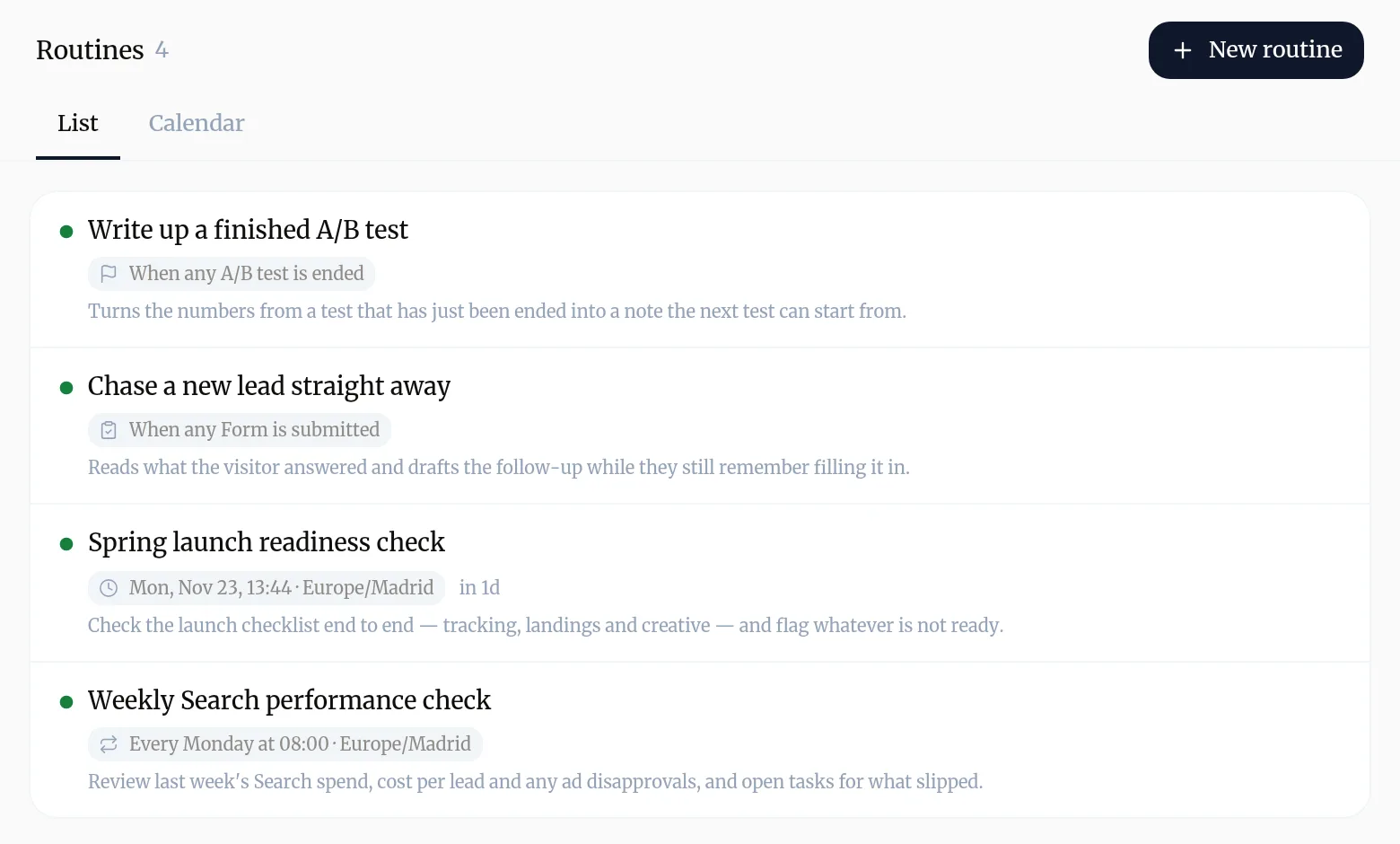
How do I create a routine?
The quickest way is to ask in a chat: “every Monday at 8, review last week’s search spend and open tasks for what slipped”. Baker sets it up, and it starts once you publish the chat.
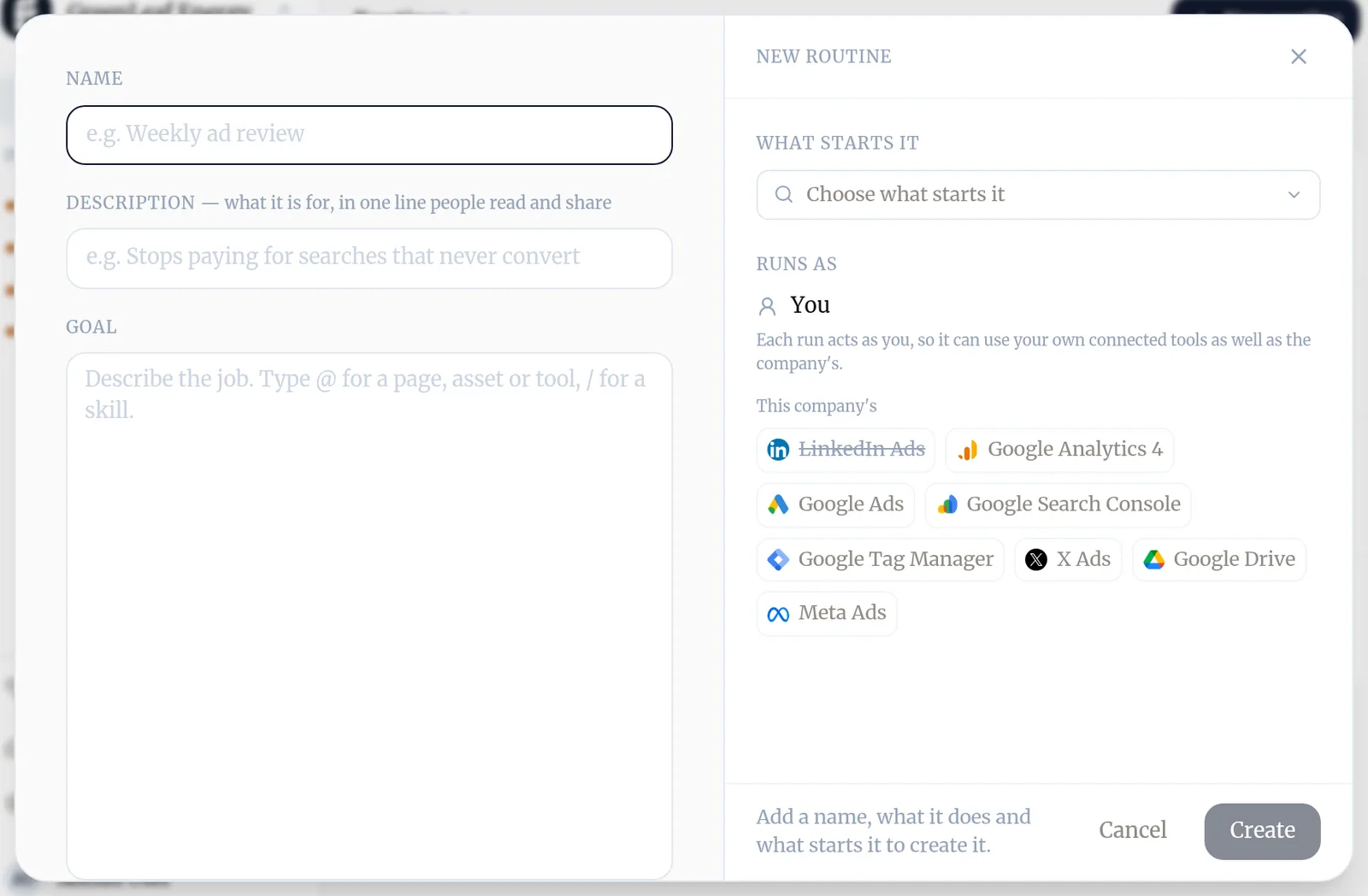
To set one up by hand:
- Go to Routines and press New routine.
- Give it a Name and a one-line Description your team will recognize.
- Write the Goal: what to look at and what to produce. Type @ to point at a page, an asset or a connected tool, and / for a skill.
- Under What starts it, press Choose what starts it and pick a trigger.
- Press Create.
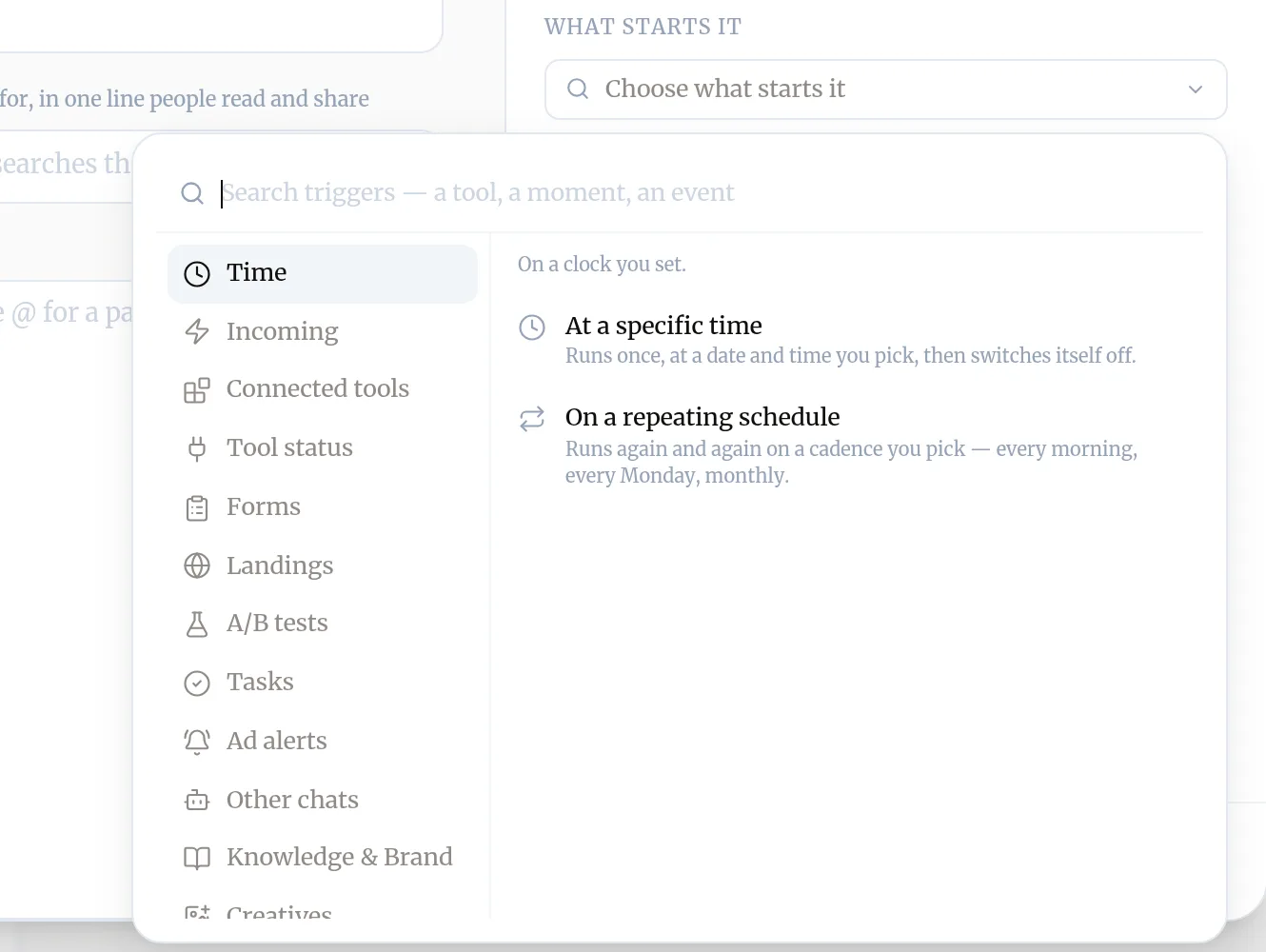
What can start a routine?
Time is the obvious one: At a specific time runs once, On a repeating schedule runs every morning, every Monday or monthly. A routine can also start when something happens: a form is submitted, a landing page goes live, an A/B test ends, a task is completed, an ad alert fires, a connected tool sends an event, a new review or social post arrives, and more.
What happens when a routine runs?
- Baker opens a new chat for the run and works on the goal.
- If the run changed nothing, its chat closes on its own.
- If it prepared changes, they wait in To publish, labelled with the routine’s name. Review them and press Publish, as with any chat.
Open a routine to see its runs, and press Run now to start one straight away. Pause stops it until you switch it back on.
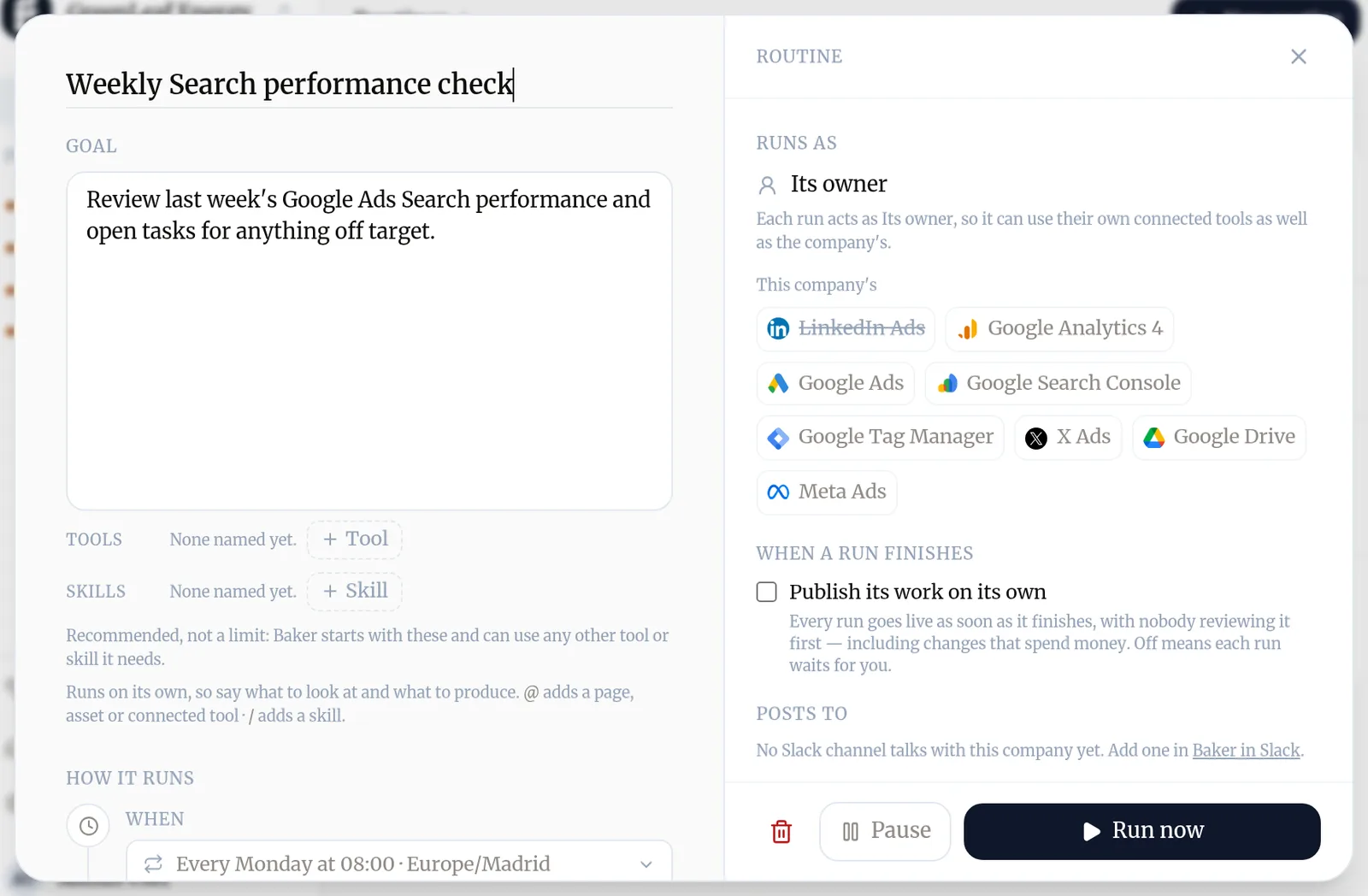
Can a routine publish its own work?
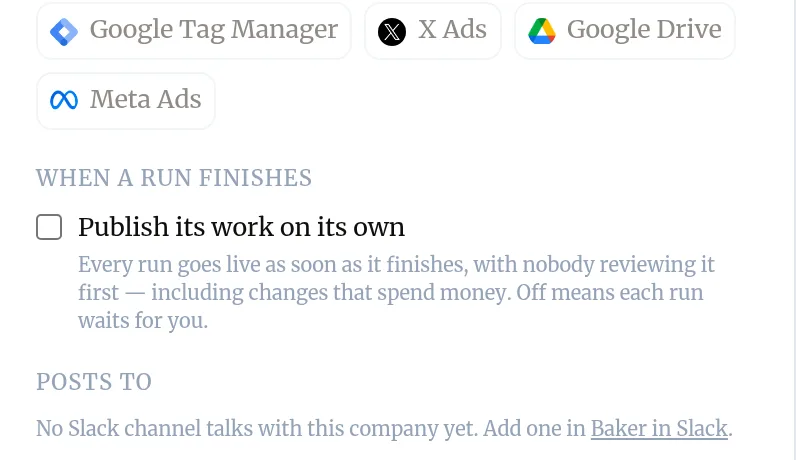
Yes. Open the routine and, under When a run finishes, tick Publish its work on its own. Every run then goes live as soon as it finishes, with nobody reviewing it first, and is published on behalf of the person who ticked the box.
Only a person can turn this on: an admin or a member. Baker can never turn it on for itself, even when you ask it to set up the routine in a chat.
How do I get a routine’s results in Slack?
- Connect a Slack channel to the company in Settings → Baker in Slack (see Use Baker in Slack).
- Open the routine and choose the channel under Posts to. This needs an admin.
When a run does something, Baker posts a short summary in the channel. Reply in its thread to ask Baker about the run. When every change in the run is in Baker, you can publish it from the Slack message; otherwise Open in Baker takes you to it.
Try asking Baker
Every Monday at 8:00, review last week's Google Ads search terms and add the ones that spend without converting as negative keywords.
What happens when you publish
A routine set up in a chat starts once you publish that chat. Each run's own changes wait in To publish until someone publishes them, unless the routine publishes its work on its own.
Troubleshooting
- If you see "A routine didn't run when you expected."
- Open it and check it isn't paused and that your organization has credits left. A routine started by an event also won't start a new run while its last one is still going.
- If you see "A run was skipped."
- When Always run is off, a routine on a repeating schedule skips a run if the last one found nothing to do and nothing it reads in Baker has changed since. Turn on Always run if it must run every time.
- If you see "The routine's page says its last runs did nothing."
- Make it cheaper rather than letting it run empty. Ask Baker to add a check before each run, start it from the tool's own event instead of a clock, or run it less often. Pause it only if none of those fit.
- If you see "You can't pick a Slack channel under Posts to."
- The company needs a Slack channel connected in Settings → Baker in Slack, and choosing where a routine posts needs an admin.
Questions
What is the difference between a routine and a task?
A task is one piece of work to do once. A routine is work that repeats, or that waits for something to happen. If you'd write "every week" or "when a lead comes in", it's a routine.
Do routines use credits?
Yes. Each run uses the credits its work takes, like a chat. When your organization is out of credits, routines don't run.
Who does a routine run as?
As its owner, the person who created it. Each run can use the company's connected accounts and its owner's own connected tools.
Can a routine just send a reminder?
Yes. Ask Baker for a reminder with fixed words, like "remind us on 1 September to renew the domain". It posts the message to your Slack channel as written, with no run and no chat.
Next steps
- Work through Tasks, the to-dos Baker leaves you What Tasks are, where they come from, and how to prioritize them, hand one to Baker or mark it complete.
- Publish your changes What Publish sends live, in what order, how to check it worked, and how to discard a chat's changes instead.
- Set up Baker in Slack Add Baker to your Slack workspace, choose the channels that talk with each company, link your account and publish from a thread.
Was this helpful?
Thanks. We read every answer.