
Retarget your website visitors on LinkedIn Ads with Baker
Baker now builds LinkedIn Ads audiences of the people who visited your pricing page, a landing or any page you choose, ready to use once you publish.
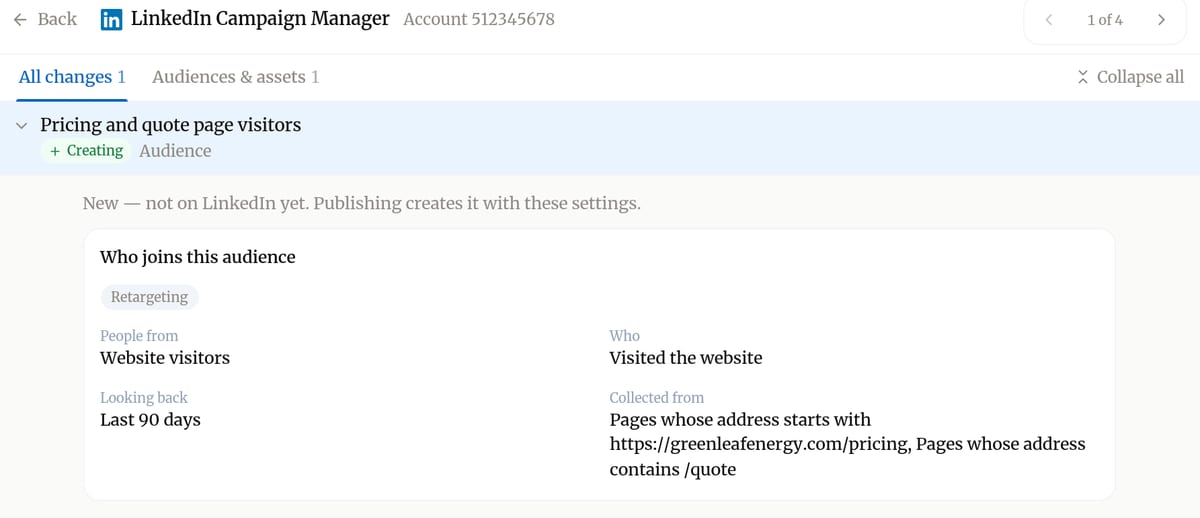
If you want to show LinkedIn Ads to the people who already visited your website, Baker can now build that audience for you. Since 19 November 2026, you can ask Baker for a LinkedIn audience of everyone who visited your pricing page, a landing you made in Baker or any page you name, over the last 14 to 180 days. Before, Baker could not make this audience, and the request ended in LinkedIn refusing it or in work by hand in Campaign Manager.
Say which pages count: an exact address, every address that starts with a path, every address that contains a word, or a landing by its name, which Baker finds wherever it is published, home page included. A visit to any of them puts the person in the audience. When you publish, Baker creates the page set LinkedIn needs and fills the audience from it. Your LinkedIn Insight Tag has to be on those pages for visits to count.
Before you publish, the review shows who joins the audience in plain words: website visitors, the pages they come from and how far back it looks. Baker also now knows how to keep your current customers out of a LinkedIn campaign: it puts the companies from your CRM in one company list and excludes it, instead of looking them up one by one.
For B2B teams, that means you can follow up with the companies that already showed interest, without paying to reach the customers you already have.
Published .