Run Google Demand Gen campaigns on YouTube only with Baker
Baker can now keep a Google Demand Gen ad group on YouTube only, switch off optimized targeting, and use portrait and 9:16 images, so your budget goes where you chose.
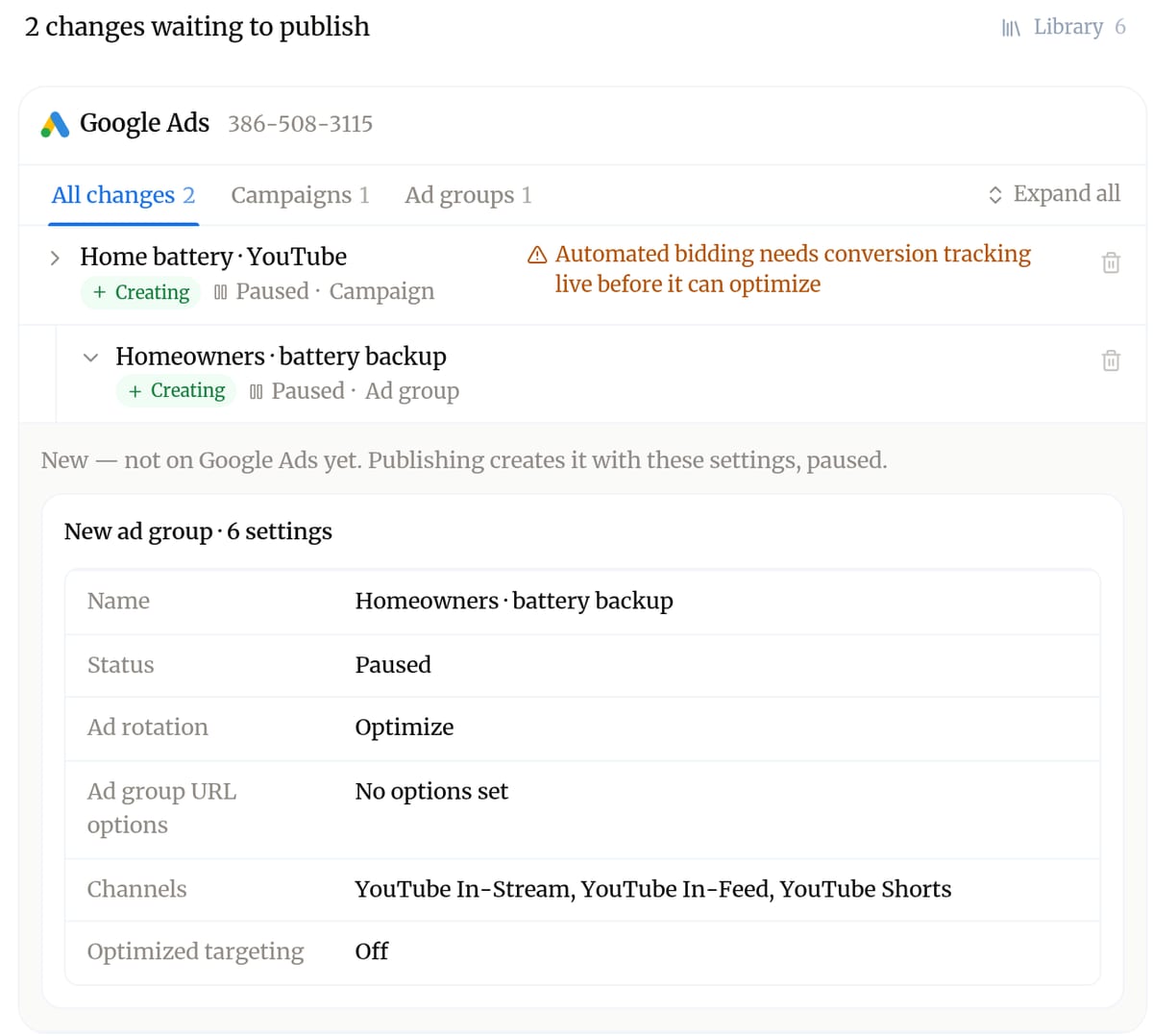
Since November 13, Baker can choose where a Google Demand Gen ad group serves. Ask for YouTube only and it keeps the ad group on YouTube in-stream, in-feed and Shorts, with Gmail, Discover, Display and Maps off. It can also switch off optimized targeting, so Google stays inside the audience you picked. For anyone running YouTube ads through Demand Gen, that means the budget goes where you meant it to.
This matters because a new Demand Gen ad group serves on every channel unless someone says otherwise. Before, Baker could not set that, so a YouTube plan could end up spending on Gmail and Discover, and restricting it was a job by hand in Google Ads. Now you can name any mix of the seven channels, or YouTube in one word, on a new ad group or one already live. Each change shows in the review before you publish, with the channels and optimized targeting listed.
Demand Gen image ads also take every image shape Google serves: portrait 4:5 and tall 9:16 for Shorts, besides landscape and square. Baker can build or copy an image ad with your vertical pictures, instead of leaving them out and adding them by hand.
You spend on the placements you planned, cover the vertical inventory you have pictures for, and check it all in one place before it goes live.
Published .